You can reset your ChoirMate password from the login screen. You do not need to remember your current password, but you must have access to the email address connected to your account.
Info
ChoirMate does not currently offer a password change while you are signed in. Log out and use Forgot password instead.
Reset Your Password
- 1
Open the login screen
If you are signed in, open Menu, tap your profile, scroll to the bottom, and tap Log out.
- 2
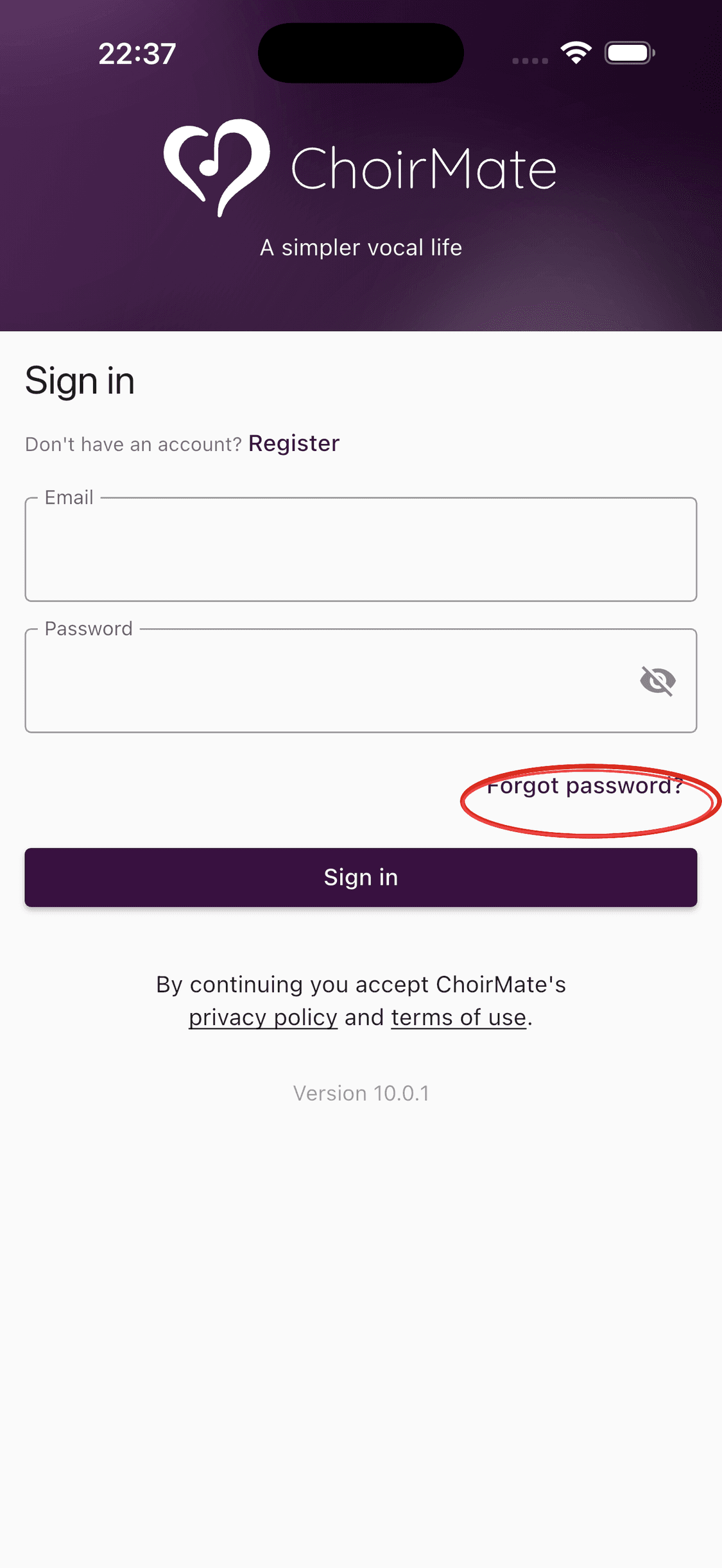
Choose Forgot password
Tap Forgot password? below the password field.
- 3
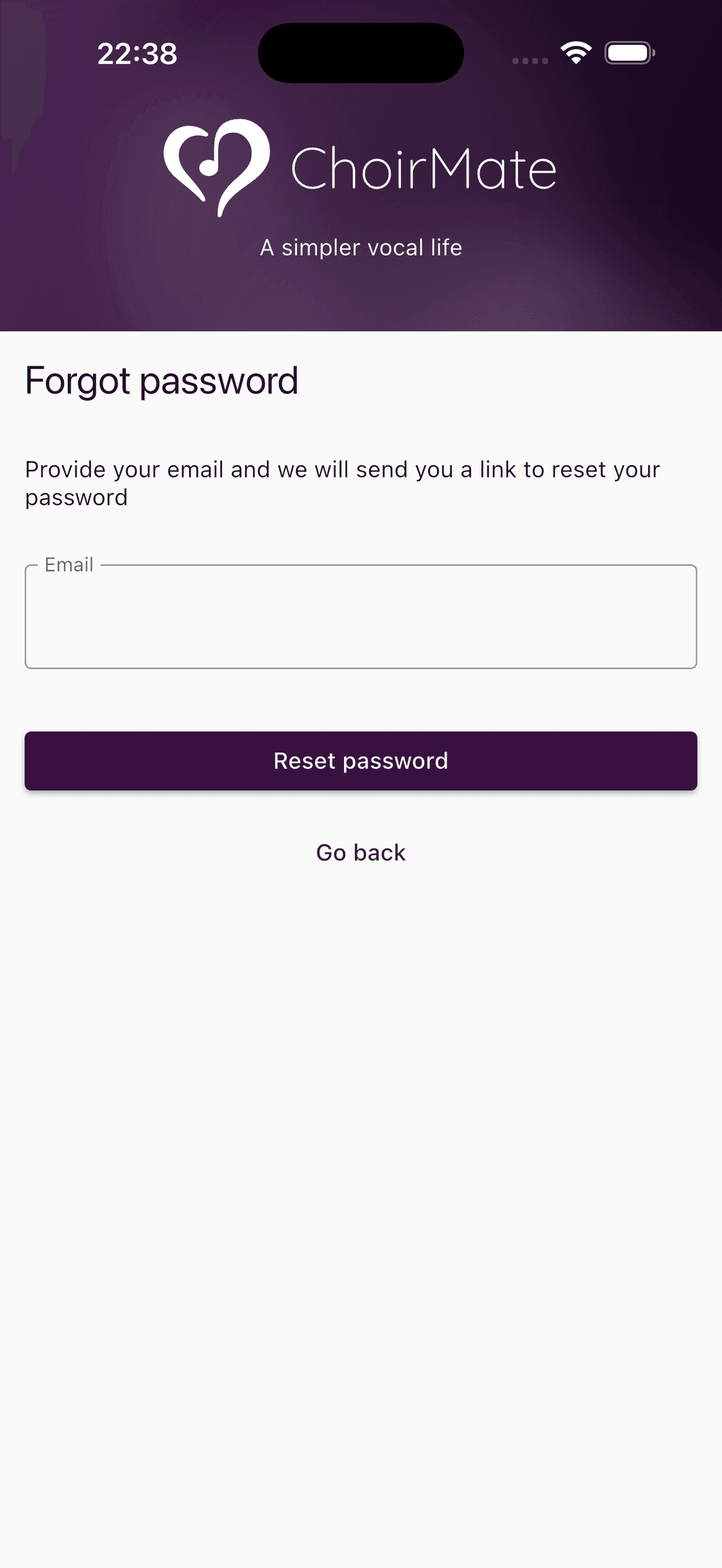
Request a reset link
Enter the email address for your ChoirMate account and tap Reset password.
- 4
Set a new password
Open the email from ChoirMate, follow the reset link, and enter your new password. You can then return to the app and sign in.
- 1
Open the web login page
Go to web.choirmate.com. Log out first if you are already signed in.
- 2
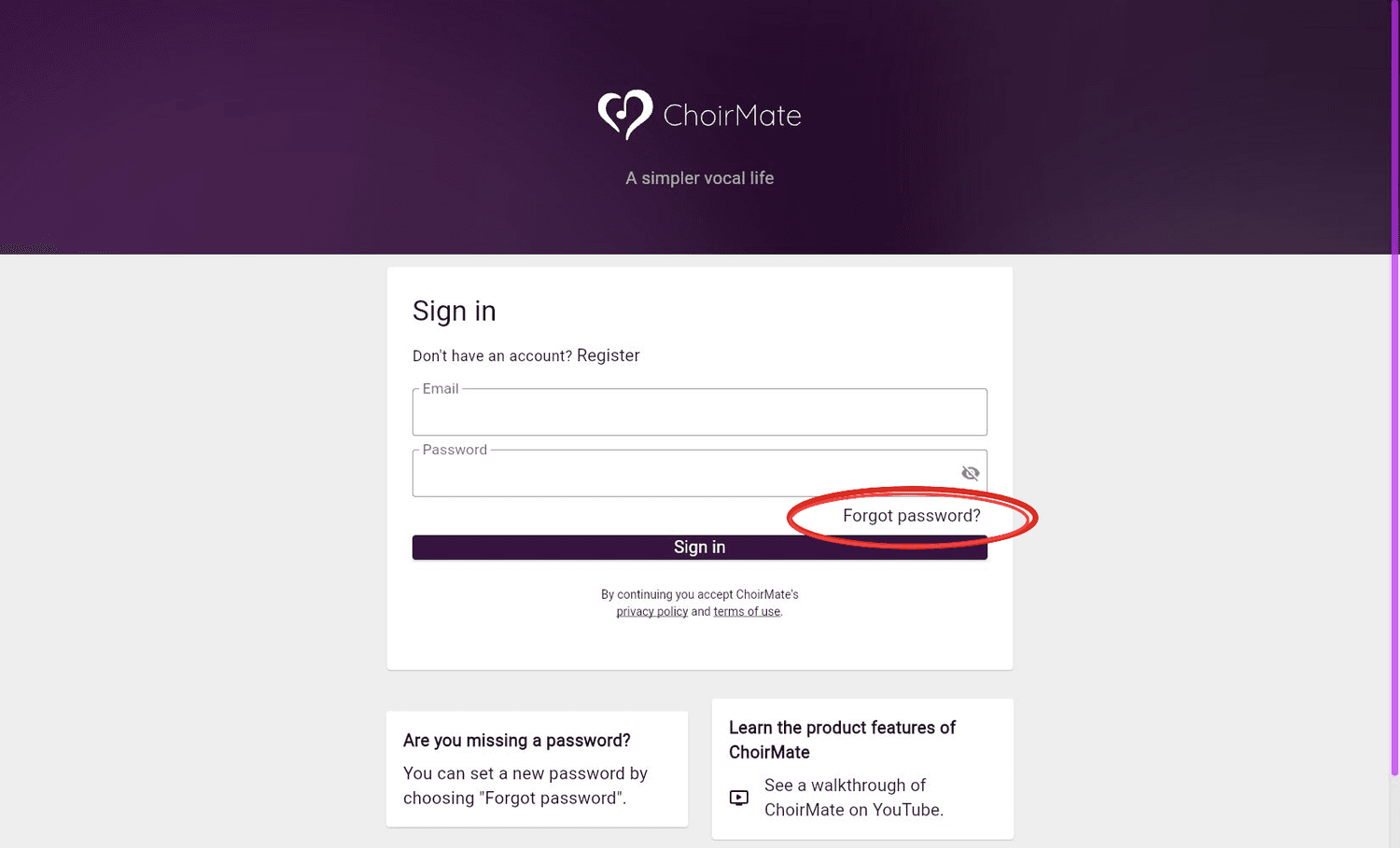
Choose Forgot password
Select Forgot password? on the login page.
- 3
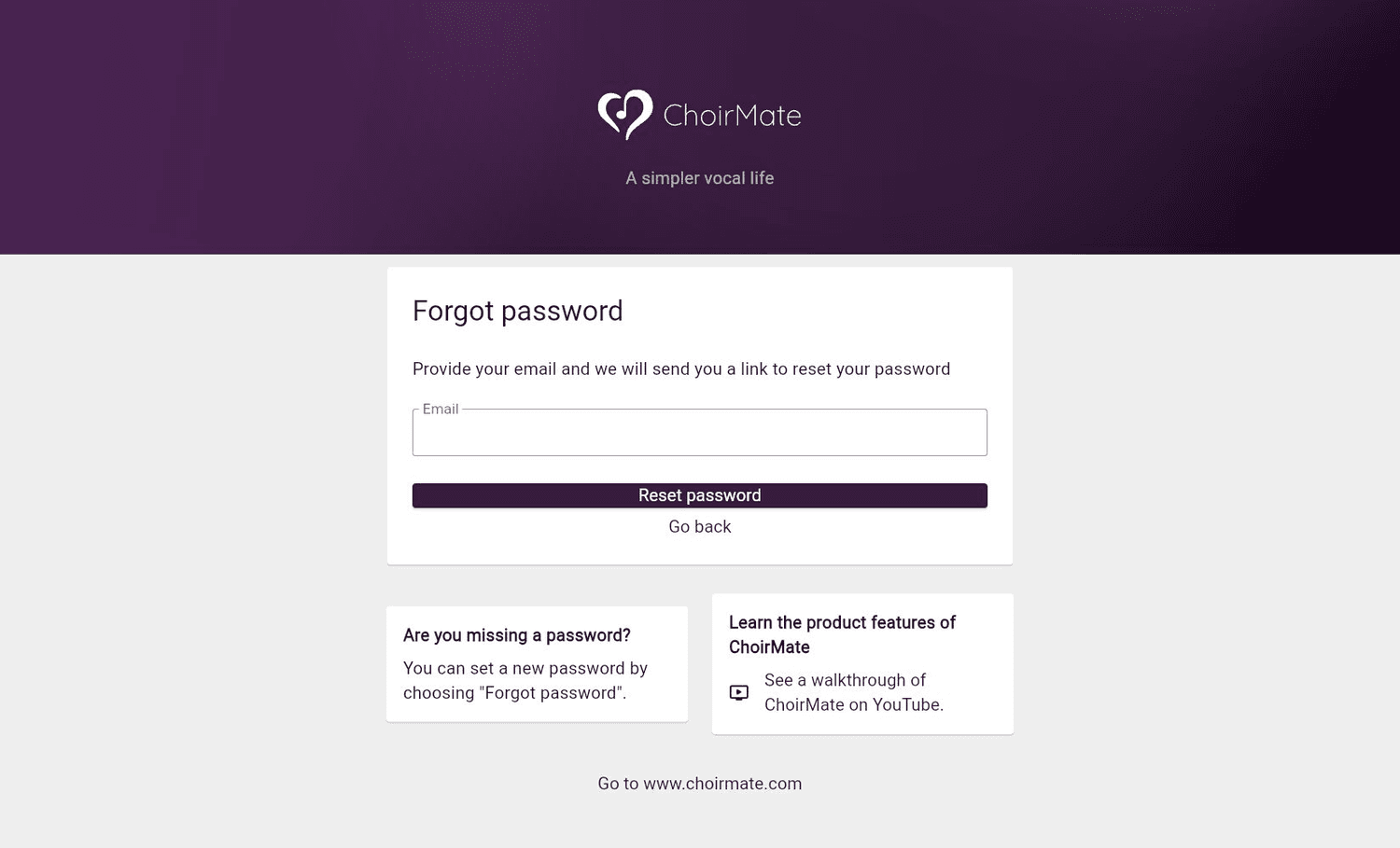
Request a reset link
Enter your account email address and select Reset password.
- 4
Set a new password
Open the email from ChoirMate, follow the reset link, and enter your new password. You can then sign in on the web or in the app.
If the Email Does Not Arrive
- Check the spam or junk folder.
- Give the email a few minutes to arrive.
- Confirm that you entered the address used for your ChoirMate account.
- Request another link from the login screen.
- Contact support@choirmate.com if you still cannot reset the password.
Tip
Reset links expire. If a link no longer works, request a new one from the login screen.