You can use ChoirMate in a web browser when you want more room for sheet music, files, messages, and choir administration. There is nothing to install.
Sign in
Go to web.choirmate.com and sign in with the same ChoirMate account you use in the mobile app.
Info
You need an existing ChoirMate account. If you have not created one yet, see Creating Your ChoirMate Account.
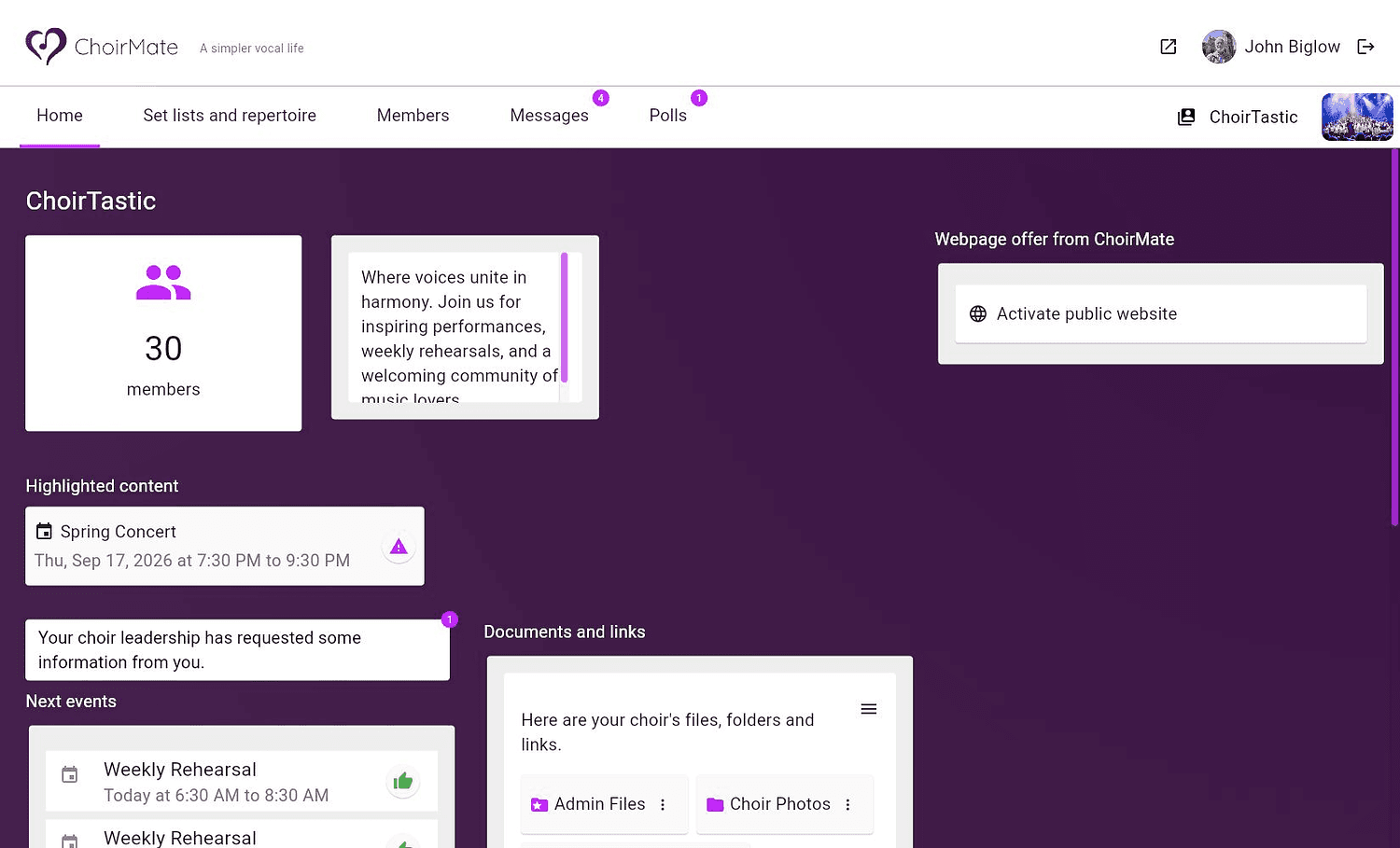
After signing in, the home page gives you an overview of your choir, including upcoming events, highlighted content, information requests, and shared documents and links.
What you can do on the web
The navigation at the top gives you access to the areas available to your choir. These can include:
- Set lists and repertoire for songs, sheet music, audio, and practice material
- Members for the choir member list and member details
- Messages for reading and sending choir messages
- Polls for answering and managing polls
- Home for events, highlighted content, information requests, documents, and links
What you see depends on your role, your choir's subscription, and the features your choir uses.
Tip
For Choir Admins and conductors: A larger screen is especially useful when organising repertoire, uploading files, and writing longer messages.
Web or mobile app?
Use whichever is most convenient. Changes are saved to the same account, so an event response or message sent on the web also appears in the app.
The mobile app is still the best choice when you need push notifications, downloaded content without an internet connection, or CarPlay and Android Auto. Many people use the web version at a computer and keep the app on their phone for daily choir activity.
Supported browsers
Use a current version of Google Chrome, Safari, Firefox, or Microsoft Edge. If something does not display correctly, update the browser and reload the page before trying again.