You can delete your account from your profile settings. ChoirMate asks you to confirm before anything is removed.
Warning
Account deletion is permanent. You will lose access to ChoirMate and cannot restore the account afterward.
Delete Your Account
- 1
Open your profile settings
Open Menu, tap your profile, then tap the settings button in the upper-right corner.
- 2
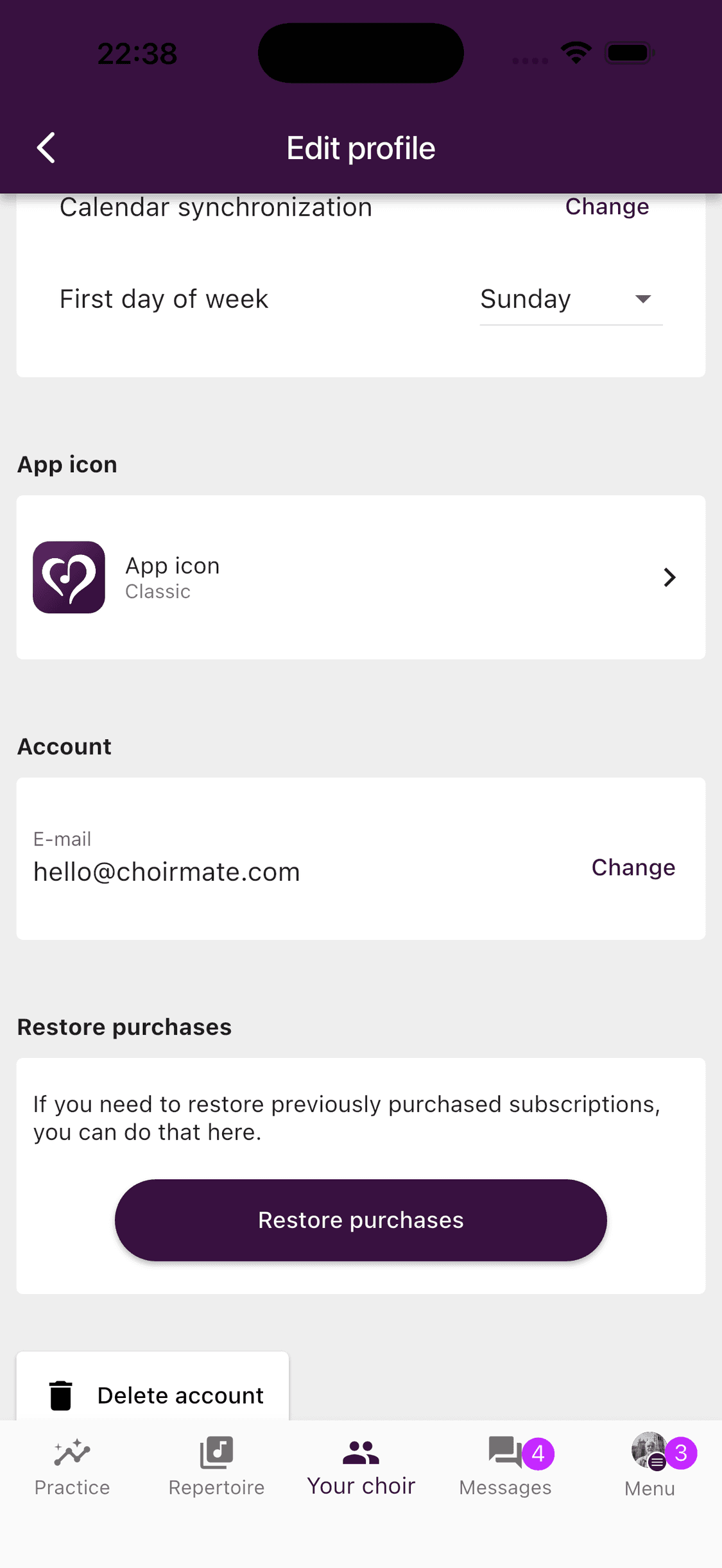
Find Delete account
Scroll to the bottom of Edit profile and tap Delete account.
- 3
Confirm the deletion
Read the confirmation carefully. Tap Delete my account only when you are sure you want to continue.
- 1
Open Edit profile
Select your profile picture in the upper-right corner, then choose Edit profile.
- 2
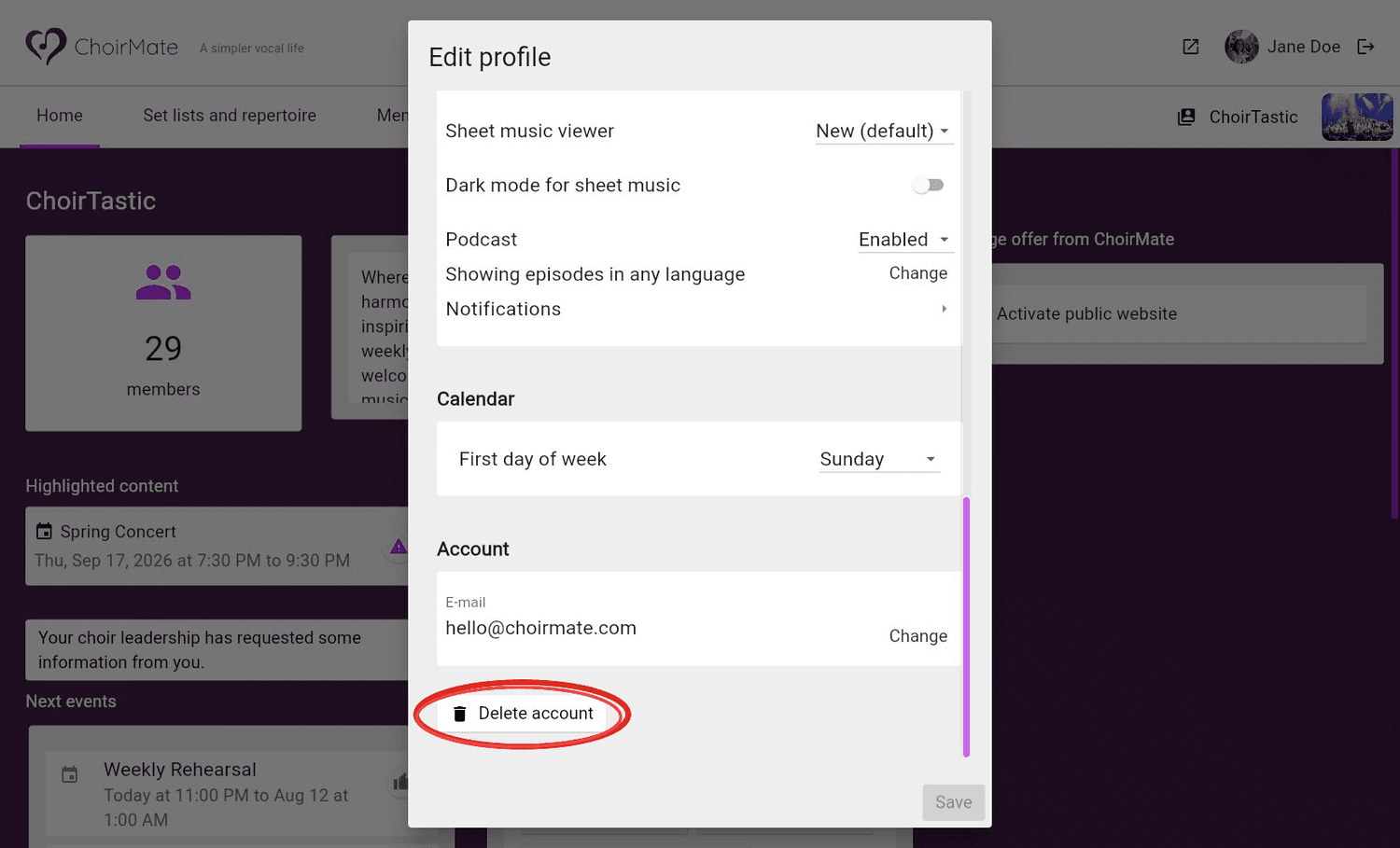
Find Delete account
Scroll to the bottom of the profile dialog and select Delete account.
- 3
Confirm the deletion
Read the confirmation carefully. Select Delete my account only when you are sure you want to continue.
If You Own a Choir or Are Its Only Active Admin
ChoirMate will stop the deletion if you own a choir or are the only active administrator responsible for one. The message lists the affected choirs.
Transfer the ownership or administrator responsibility to another active member, then try deleting your account again. Contact support@choirmate.com if you need help with the transfer.
Info
This check prevents a choir from being left without someone who can manage it.
What Happens to Your Data
When the deletion is completed:
- you are signed out and the account can no longer be used
- your personal account details are removed or anonymized
- you are removed from your choirs
- private recordings that you have not shared are marked for deletion
- recordings shared with a choir or added to a choir playlist remain available, but are no longer connected to your identity
If you need a copy of anything personal, save it before deleting the account.
Need Help?
Contact support@choirmate.com if the deletion is blocked or you need help transferring responsibility for a choir.