A concert belongs in the calendar, but a leadership post gives you room to explain what matters and ask members to respond. Attach the event to the post so nobody has to search for it.
Prepare the Event
Create the concert before writing the announcement. When you set it up:
- Choose the members who should see the event.
- Keep Track attendance and absence enabled.
- Set Default attendance status to Unanswered if you want each member to make an explicit choice. This does not force a response, but nobody is counted as attending until they answer.
- Use Alert all group members about this new event if members should also receive the calendar alert immediately.
See Creating Events for the complete event setup flow.
Info
Attaching an event as pinned content requires a Premium group subscription or trial.
Share the Concert in a Leadership Post
- 1
Start the post and add the event
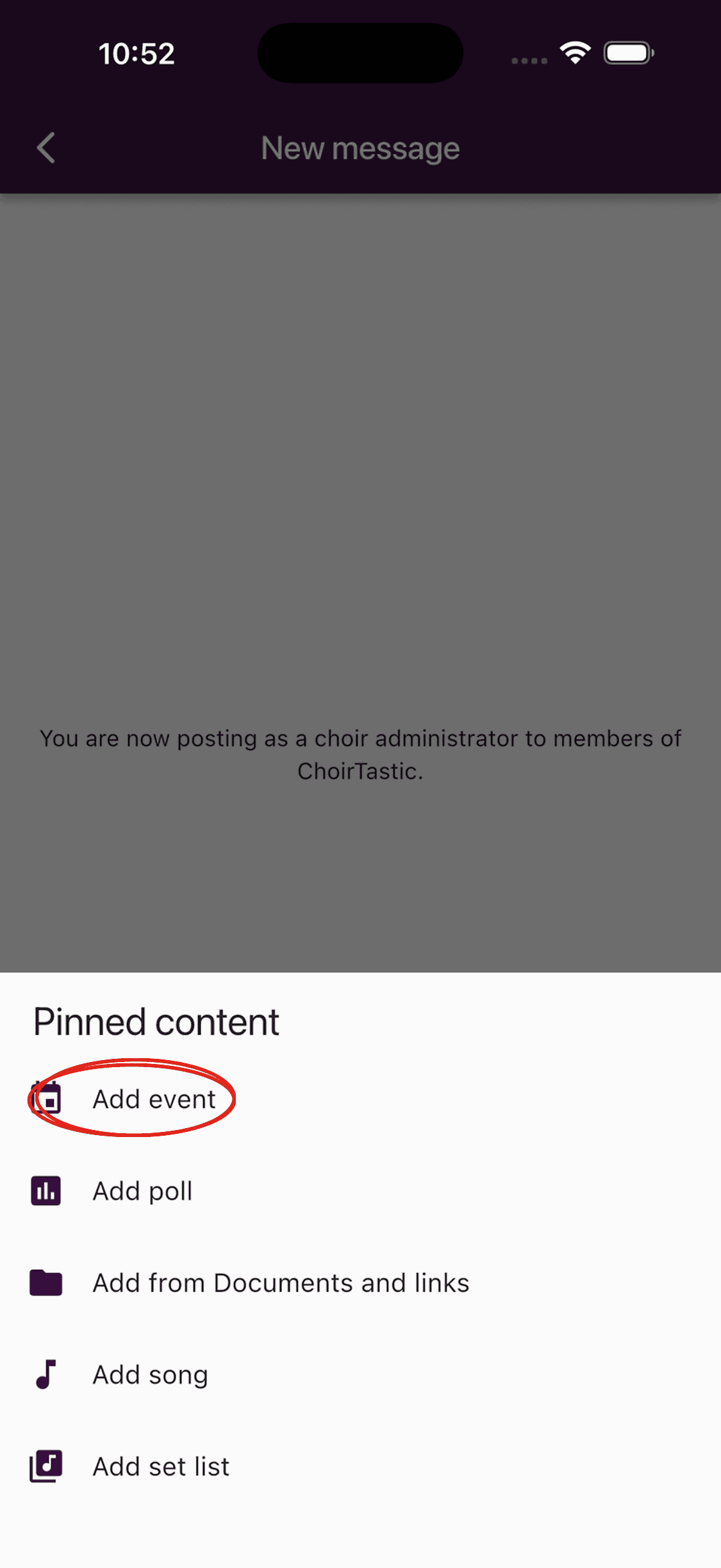
Open Messages, tap +, and choose Post as choir administration. Write a short announcement, tap the Link icon beside the message field, then choose Add event under Pinned content.
- 2
Choose the concert
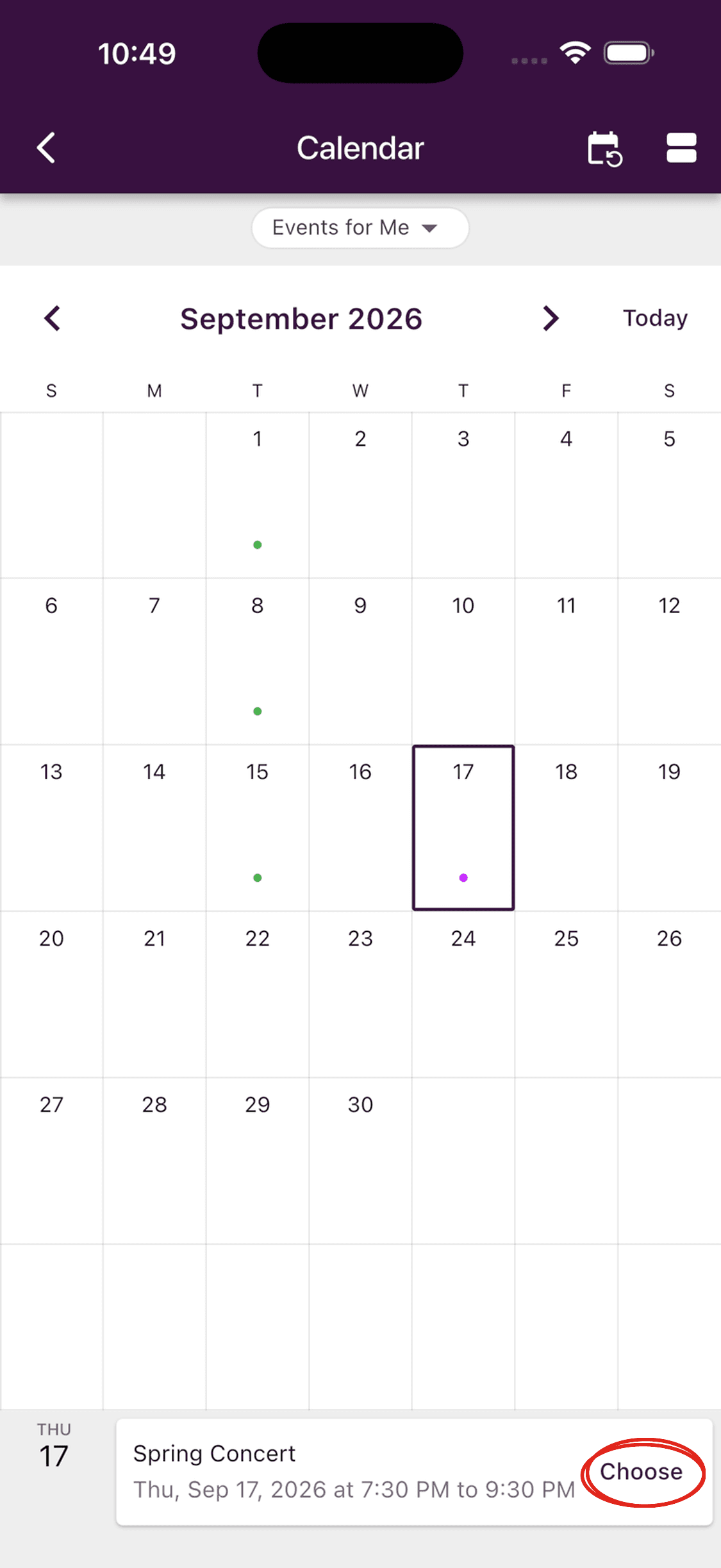
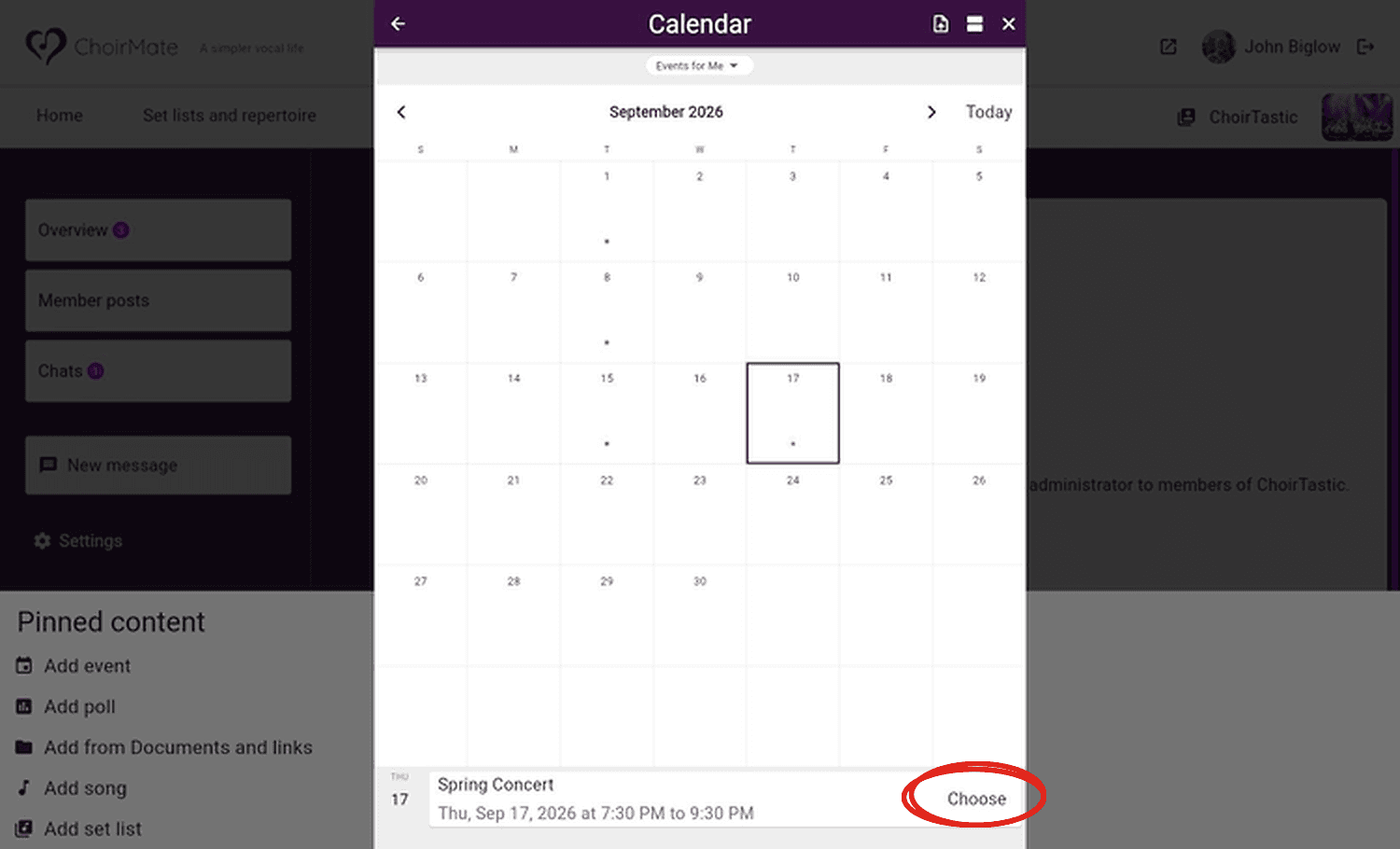
Move to the concert date in the calendar, select the event, and tap Choose.
- 3
Send the announcement
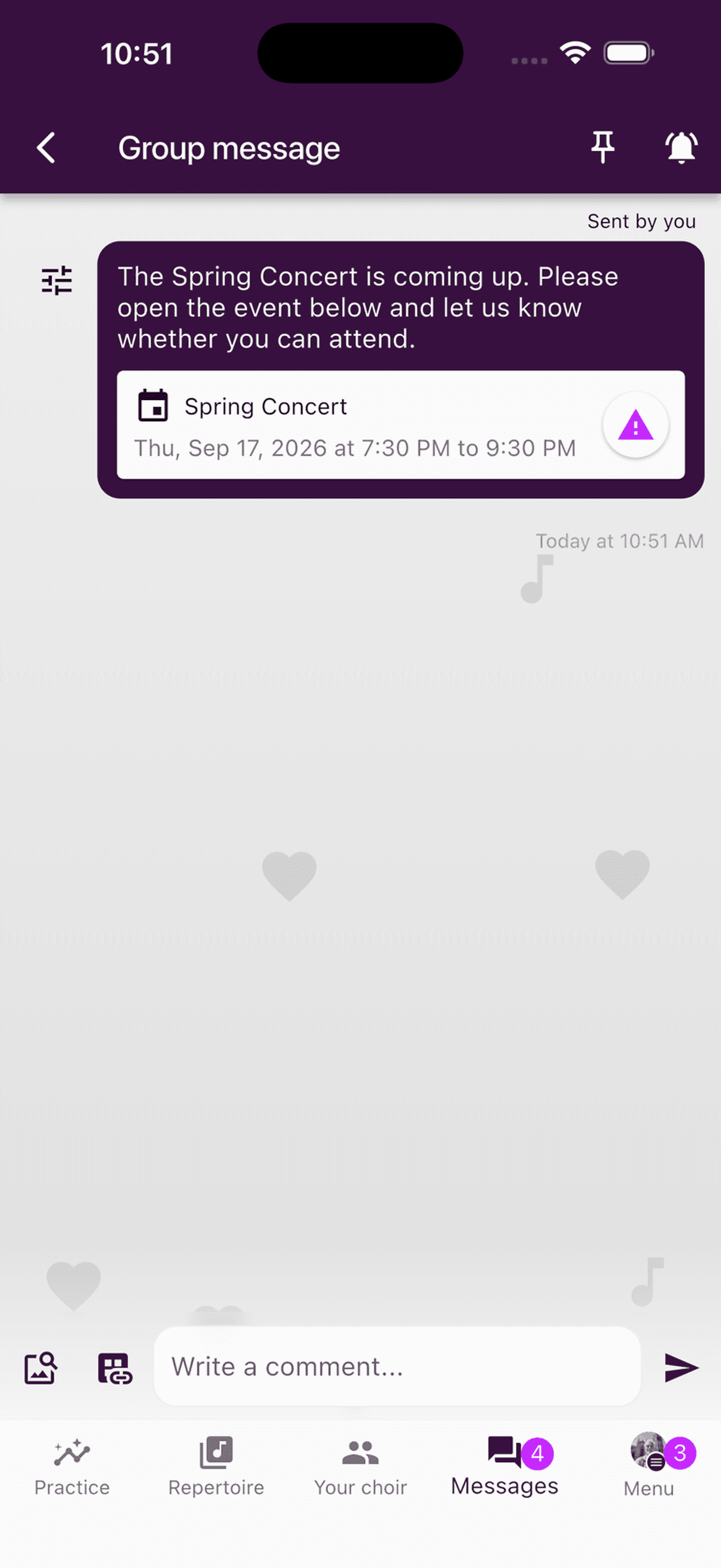
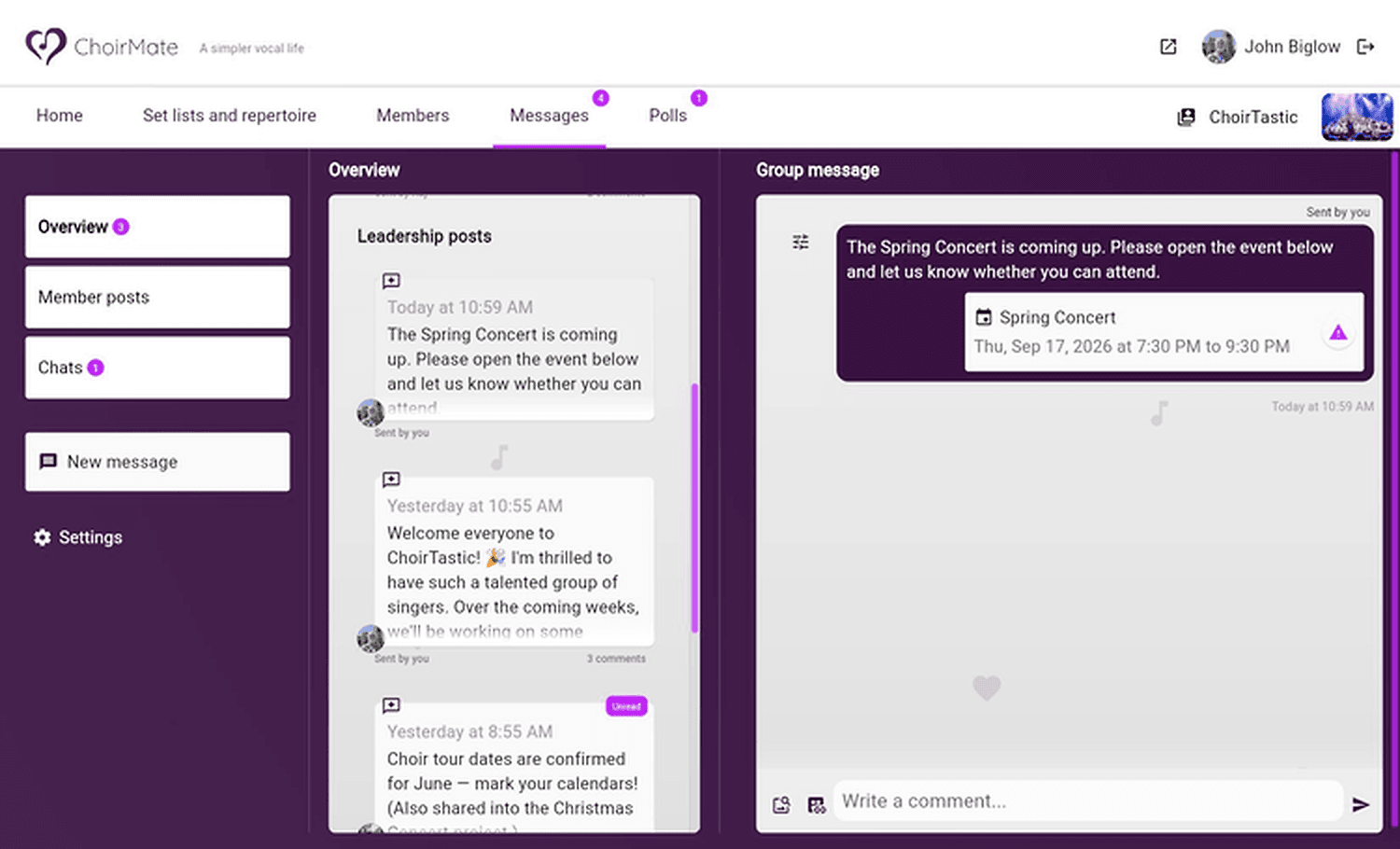
Check that the event card appears below your text, then tap Send message. Open the post to confirm that members can see both the announcement and the linked concert.
- 1
Start the post and add the event
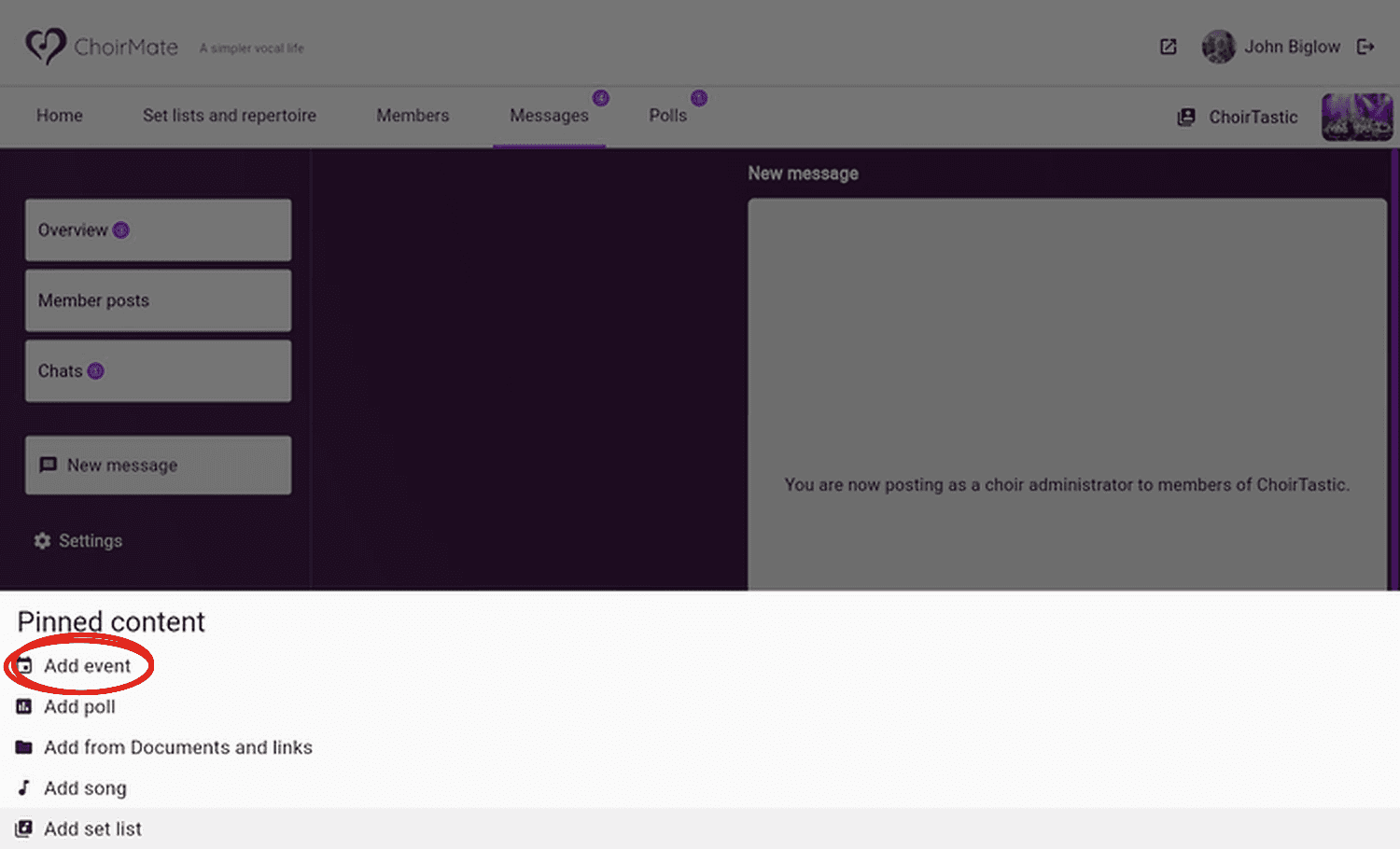
Open Messages, select New message, and choose Post as choir administration. Write your announcement, select the Link icon, then choose Add event under Pinned content.
- 2
Choose the concert
Move to the concert date, select the event, and click Choose.
- 3
Send the announcement
Check the event card below your text and send the post. Open it once to confirm the concert link is present.
Tip
Keep the post brief. Members can open the attached event for the full time, place, programme, and attendance choices.
After You Send
Members can open the event card and record their response. Owners and administrators can follow replies from the event's attendance list. If the concert details change, edit the calendar event so members continue to find the current information through the attached card.