ChoirMate gives each choir an invitation link and a 12-digit code. Members can use either one to register or join with an existing account.
Find and Share the Invitation
- 1
Open Invite members
Open Menu, choose Manage choir, then open Members and tap Invite members. You may also see an invitation card on Your choir while the choir is getting started.
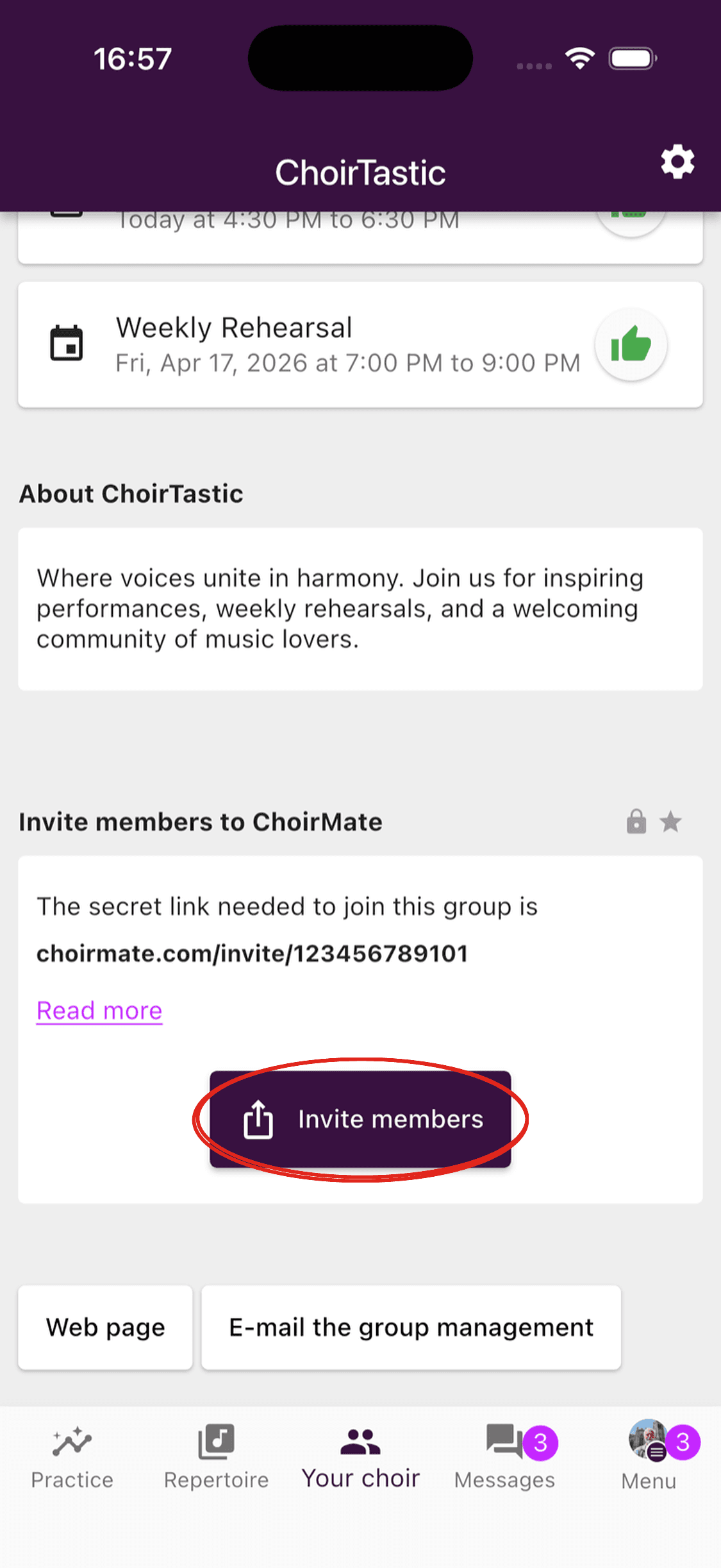
- 2
Share the invitation
Use the share button to send the ready-made invitation, or tap the link to copy it. The message includes the code as a fallback.
- 3
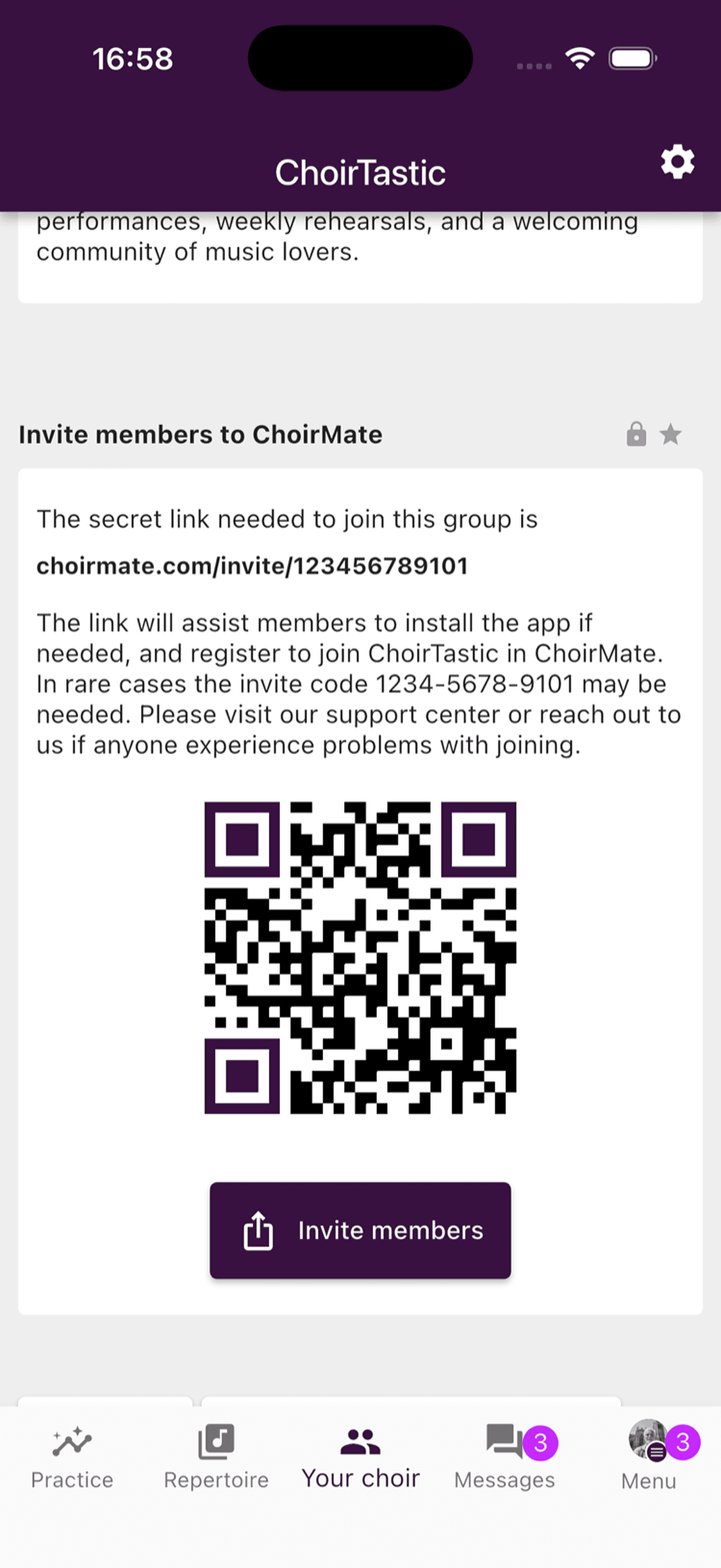
Show the QR code when you are together
Expand the information below the link to show its QR code. Members can scan it with their phone camera.
- 1
Open Members
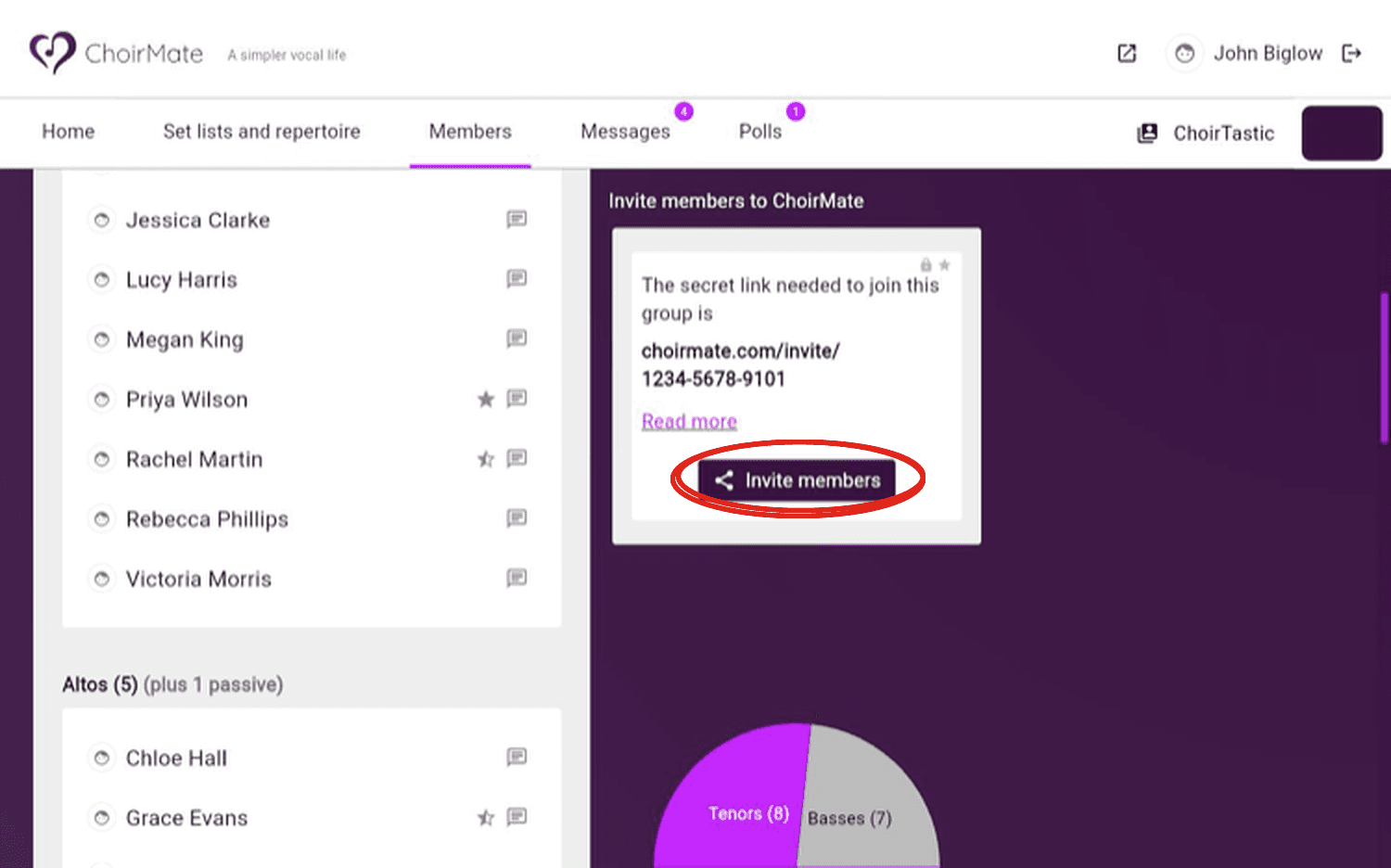
In your choir's administration area, open Members.
- 2
Open the invitation
Select Invite members to see the choir's link, code, and sharing options.
- 3
Copy and share
Copy the invitation information and send it through the channel your choir normally uses.
Choose the Easiest Method
- Invitation link: best for email, text messages, and chat groups. Opening it takes the member into the joining flow.
- 12-digit code: useful when the member is already on the Join choir screen or when you need to read the invitation aloud.
- QR code: useful at a rehearsal, meeting, or printed information desk.
The link and code belong to the choir. Anyone who receives them can pass them on, so share them only with the people you want to invite.
Create a New Invitation Link and Code
Create a new invitation if the current one has been shared too widely or should no longer be used.
- 1
Open the choir settings
Open Menu, choose Manage choir, then open Settings.
- 2
Find the invitation section
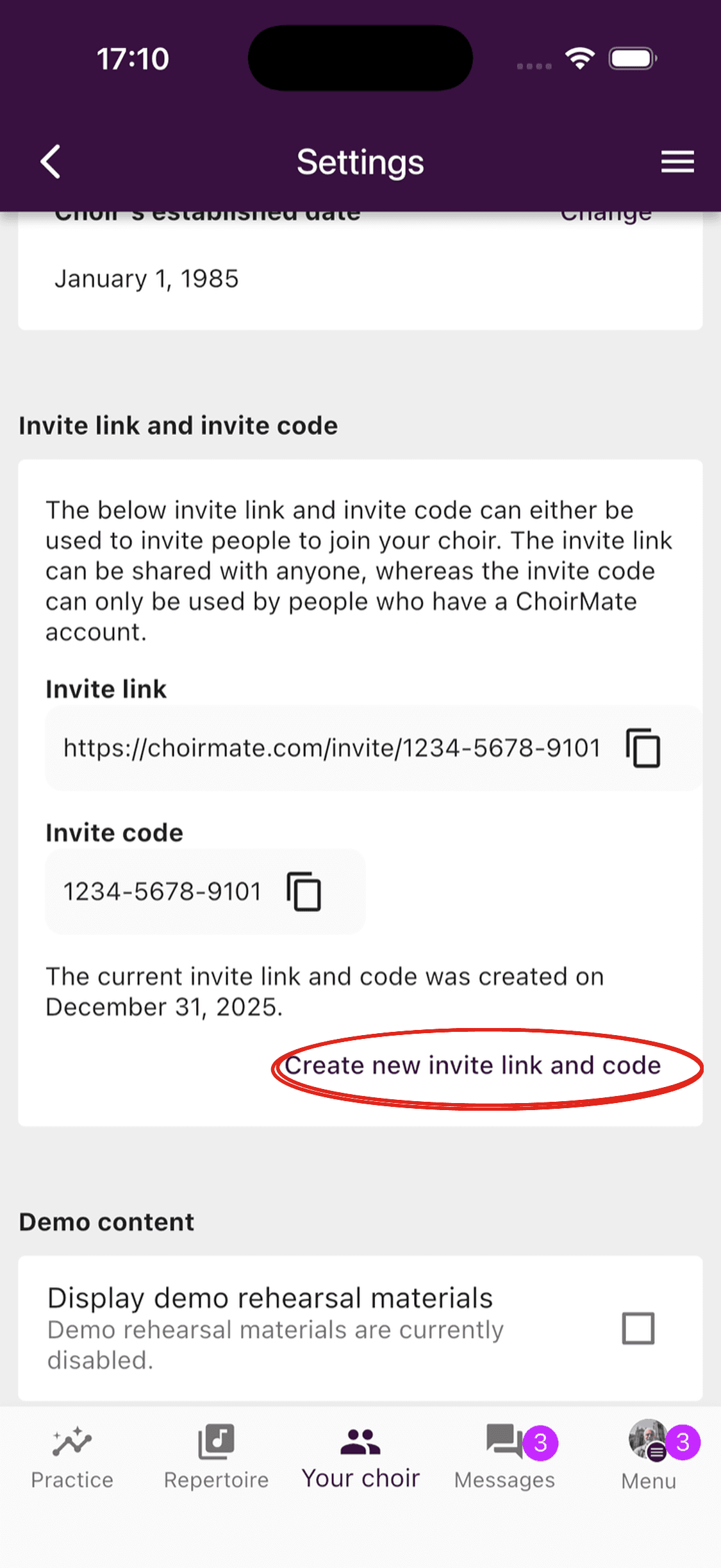
Scroll to Invitation link and invitation code. It shows the current link, code, and creation date.
- 3
Create a new invitation
Select Create a new invitation link and code, read the warning, and confirm. ChoirMate limits how often a new invitation can be created.
Warning
Creating a new invitation replaces the current link and code. Share the new invitation with anyone who still needs to join.
Members who need help with the next part can follow How to Join Your Choir.