Your choir's invitation connects your ChoirMate account to the right choir. The link is usually the easiest option, but you can always enter the invitation code in the app.
Before You Start
You need a ChoirMate account and a current invitation from someone who manages the choir. If you have not installed ChoirMate yet, download it from the App Store or Google Play.
If you are new to ChoirMate, see Creating Your ChoirMate Account.
Use the Invitation Link
Open the invitation link on your phone or tablet. It opens ChoirMate and takes you into the registration or joining flow. If the app is not installed, the link helps you find it first.
If you already have a ChoirMate account, sign in with that account. You do not need to register again for another choir.
Tip
The invitation message also contains a 12-digit code. Use the code below if the link does not complete the joining process.
Join with the Invitation Code
- 1
Open the joining section
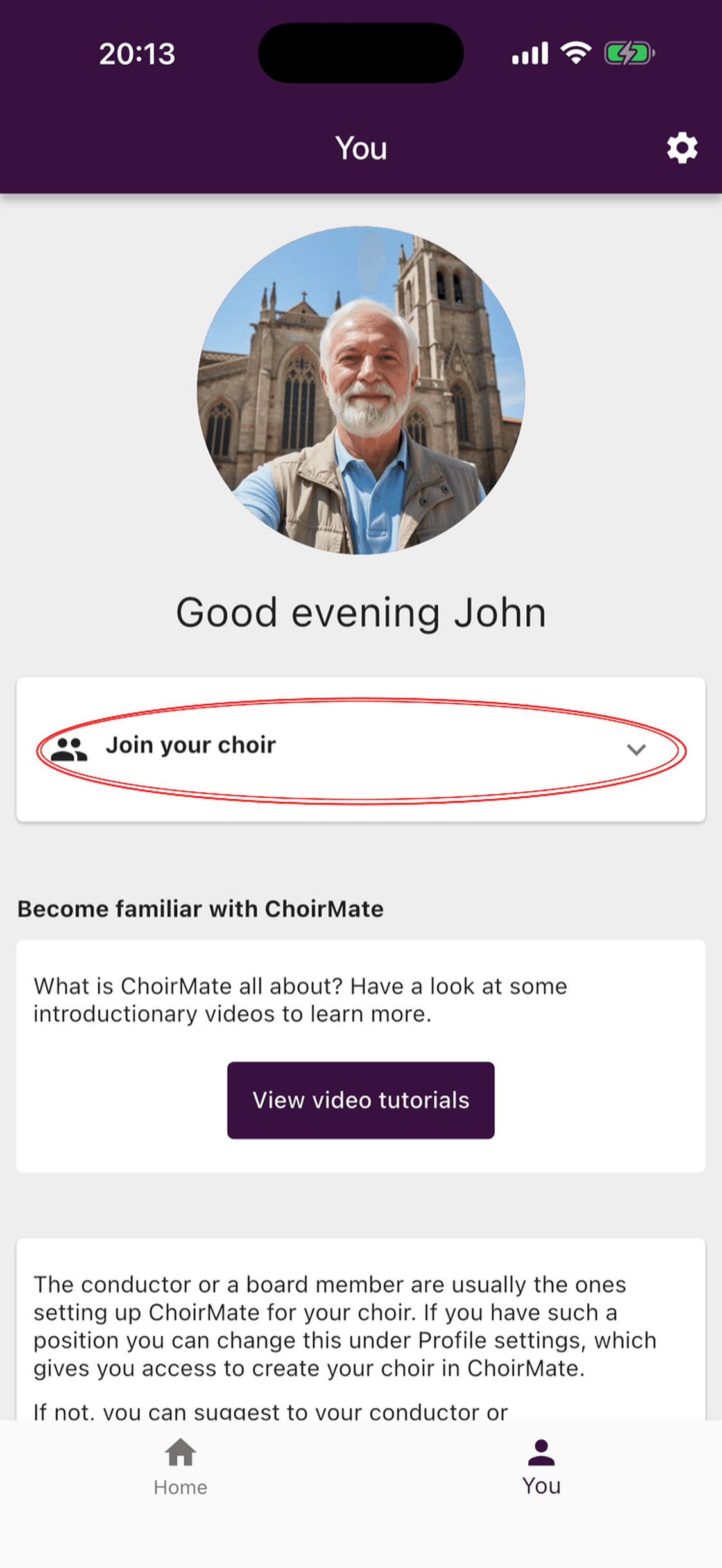
Open the You tab. Tap Join your choir. If your account is already connected to another choir, this option is called Add an additional choir.
- 2
Enter the invitation code
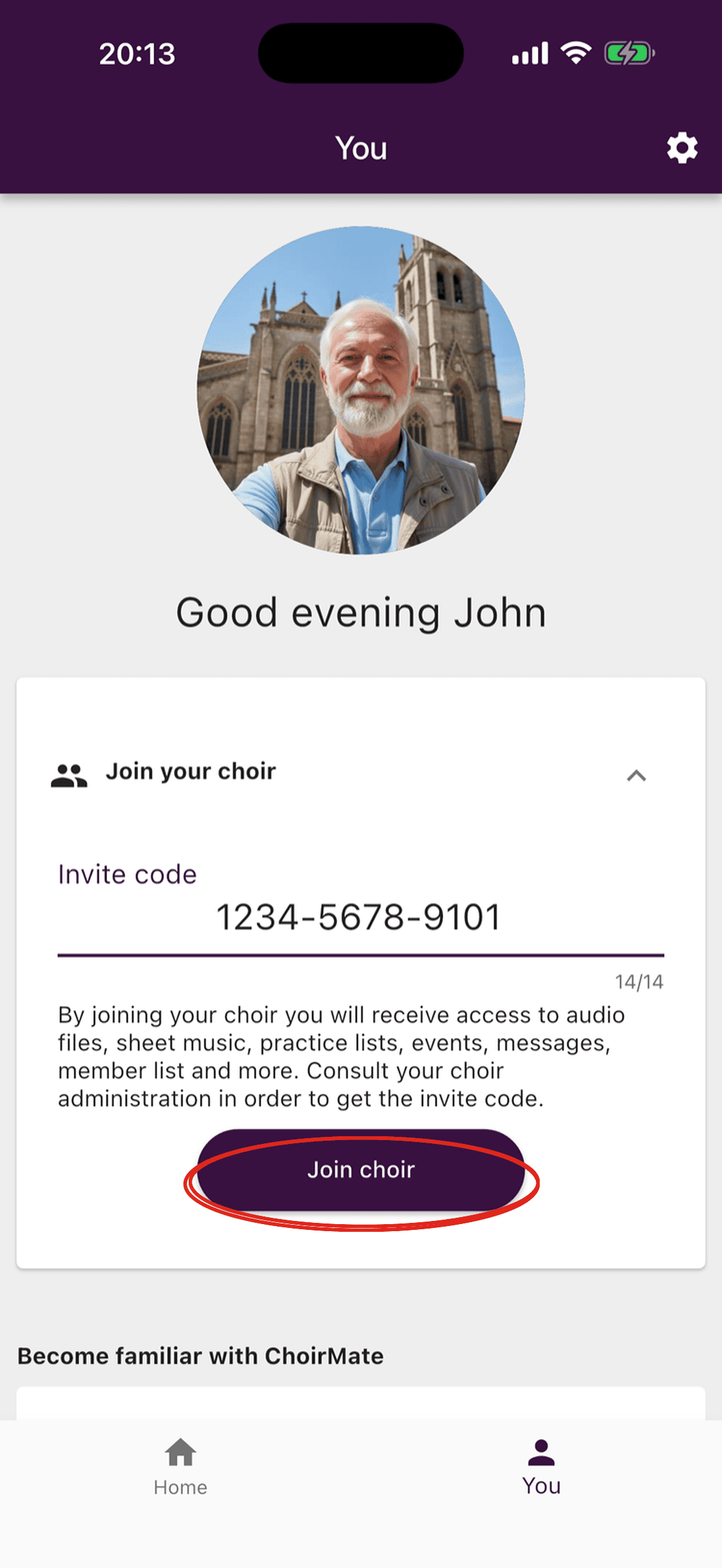
Enter the 12 digits from the invitation. ChoirMate adds the hyphens as you type. Tap Join choir when the complete code is shown.
- 3
Choose your voice part if asked
Select the voice part you sing in this choir. ChoirMate uses it to show the most relevant practice files. You can change it later from your profile.
Once you have joined, the choir is added to your account and becomes the active choir. You can start using the repertoire, practice files, events, messages, and other content that the choir has made available to you.
If You Cannot Join
- The code is not accepted: check all 12 digits, then ask a choir administrator to confirm that the invitation is still current. A newly created invitation replaces the previous link and code.
- You do not have an invitation: ask the conductor, a board member, or another ChoirMate administrator in your choir.
- You already use ChoirMate for another choir: sign in to the same account and use Add an additional choir. Your choirs remain available from one account.
- You chose the wrong voice part: open your profile settings and change it there.