Individual Premium is a personal subscription purchased in the ChoirMate app. It adds Premium access to your ChoirMate account, even when your choir uses Free or Standard. It does not change the choir's group plan or give Premium access to other members.
What Individual Premium includes
Individual Premium includes paid features that can be enabled for one member, such as:
- individual practice lists
- full and voice-part lyrics
- private song notes and confidence
- calendar synchronization
- background and offline playback
- the web player, playback speed controls, and the built-in piano
- audio editing and remote recording
- saved annotations in the new sheet-music viewer
- sending images in messages
The purchase screen in the app is the source of truth for the features and any introductory offer currently included.
Info
Sheet-music annotations may be available to everyone during a release preview. When the preview ends, saving annotations requires Premium access.
What still needs a group subscription
Features that change the choir's shared setup cannot be unlocked by one member. Examples include higher repertoire limits, polls, advanced member management, document storage, the public choir website, attendee chats, highlighted content, and custom voice parts for songs.
An owner or admin must choose a group subscription when the whole choir needs those features. See the plan comparison for the current distinction.
Subscribe in the app
- 1
Open the Premium offer
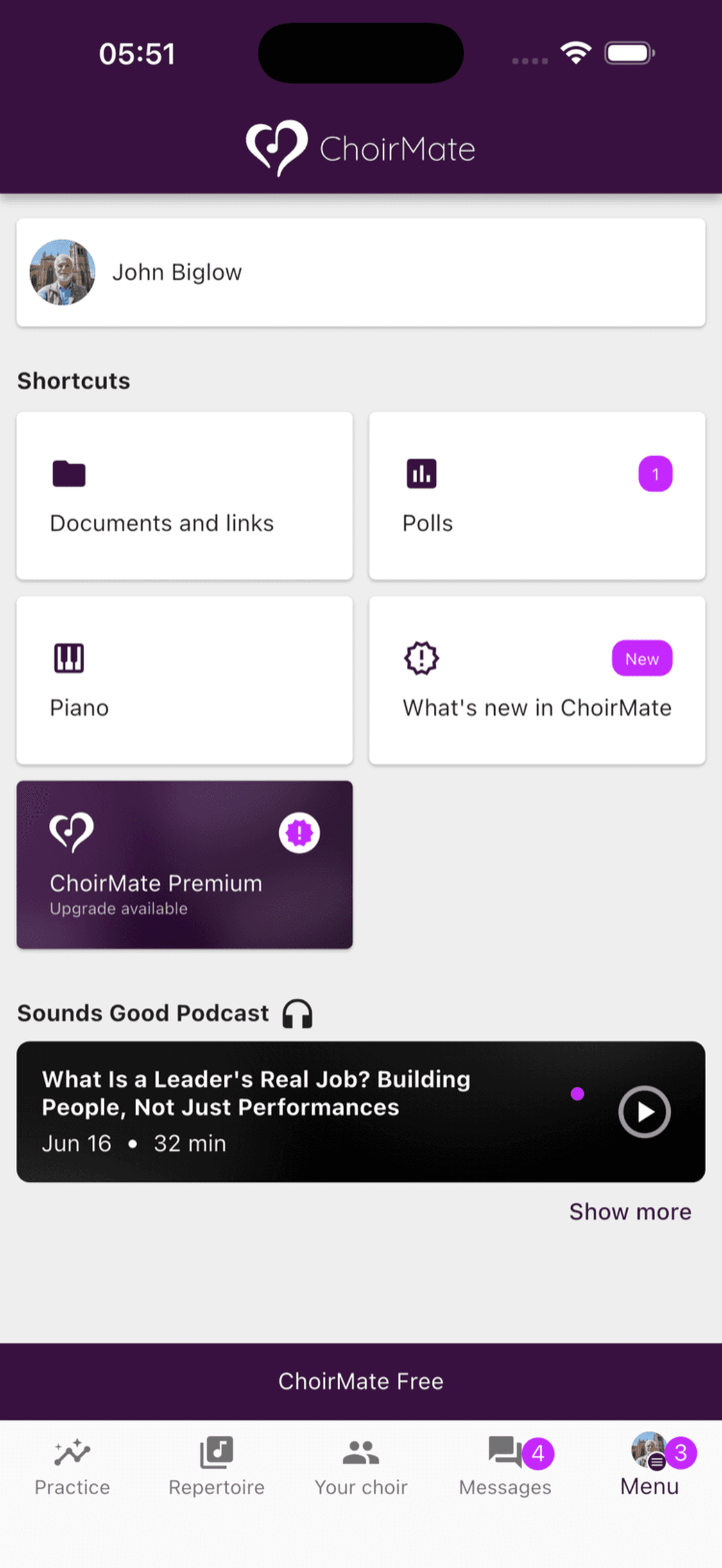
Open Menu and select the ChoirMate Premium card marked Upgrade available.
- 2
Review Individual Premium
The subscription page shows the current monthly price, included features, and any trial offered by the App Store or Google Play. Group-only features are not included in the individual offer.
- 3
Confirm with the app store
Select Choose subscription and approve the purchase through the App Store on iOS or Google Play on Android. The store shows the final price and renewal terms before you confirm.
The subscription is tied to your ChoirMate account and follows you between the choirs you belong to. Use the same ChoirMate account when signing in on another device.
Manage or cancel
Apple or Google handles payment and renewal. Manage the subscription in the store account used for the purchase. If the app shows a Your purchases link on the subscription page, you can use it to open the relevant store management page.
If a choir later starts a group plan that includes the features you use, your individual subscription does not cancel automatically. Check the group coverage first, then cancel the individual renewal in the app store if you no longer need it.
Restore a purchase
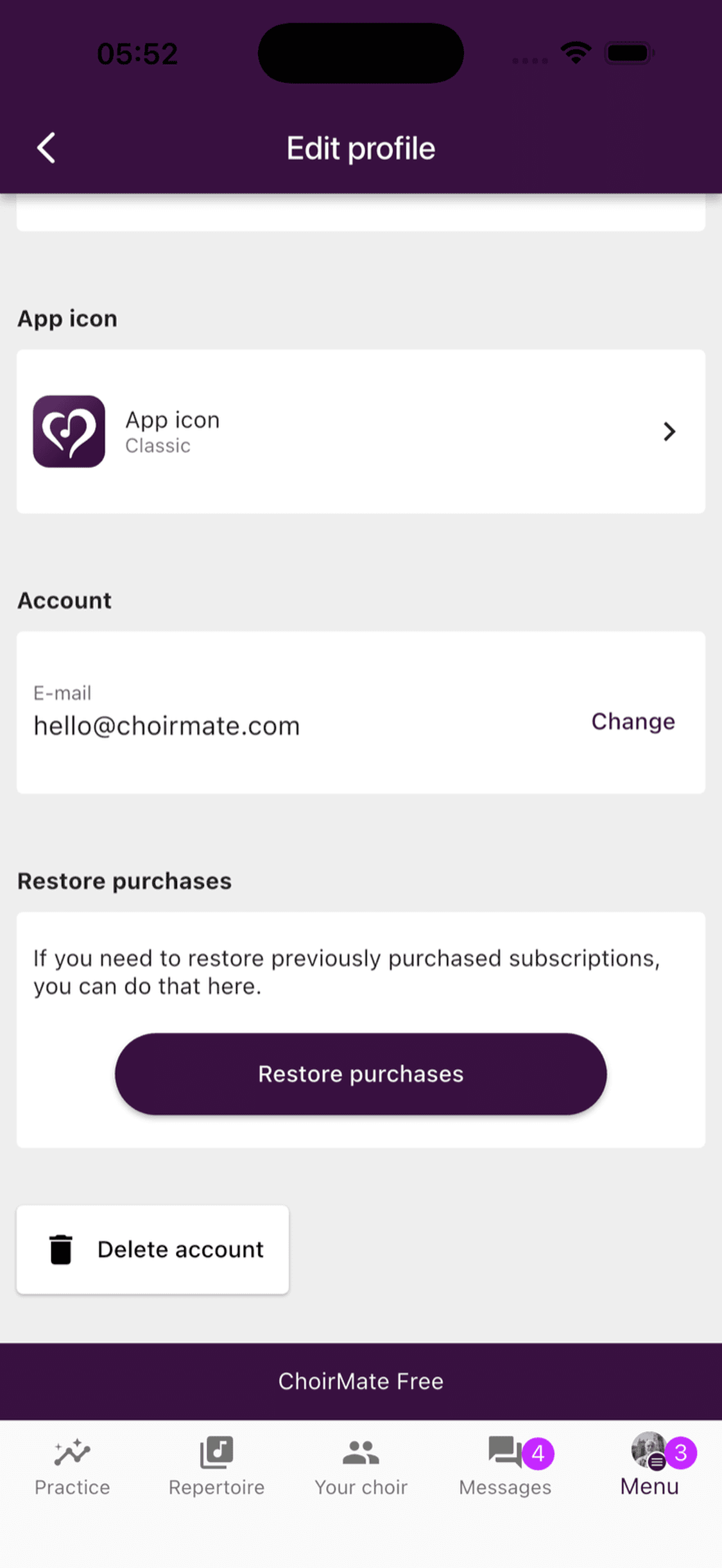
Use Restore purchases after reinstalling ChoirMate or when an active store purchase is not recognized.
- 1
Open Profile settings
Open Menu, select your name, then select Profile settings.
- 2
Restore purchases
Scroll to Restore purchases and select the button. Sign in with the same ChoirMate account and app-store account used for the original purchase.
If Premium access is still missing after the restore finishes, restart the app and contact ChoirMate support with the purchase receipt.