Remarks are shared instructions attached to a song. They keep details such as entrances, pronunciation, dynamics, and rehearsal priorities beside the song's audio and sheet music, where singers need them.
Info
Remarks are shared with the choir. For a private reminder that only you can see, use Song notes instead. Song notes are a Premium feature.
How remarks are organised
A song can contain two kinds of remarks:
- Choir leader remarks contain general guidance for the whole choir.
- Voice-part remarks contain instructions for one voice part, such as Soprano, Alto, Tenor, or Bass.
ChoirMate shows your voice part first. Select See other voice type remarks when another section's instruction helps you understand an entrance or how the parts fit together.
Who can edit remarks?
- The choir owner can edit the choir leader remark and the remarks for every voice part.
- Choir Admins and Editors can edit voice-part remarks when they have access to the song and voice part.
- Members can read remarks but cannot edit them.
If a voice part does not have a remark yet, ChoirMate tells members that an Editor or Choir Admin can add one.
Open and edit remarks
- 1
Open the song
Open Set lists and repertoire, choose the set list, and open the song. You can reach remarks from the song and audio views, and from the sheet music viewer.
- 2
Open Remarks
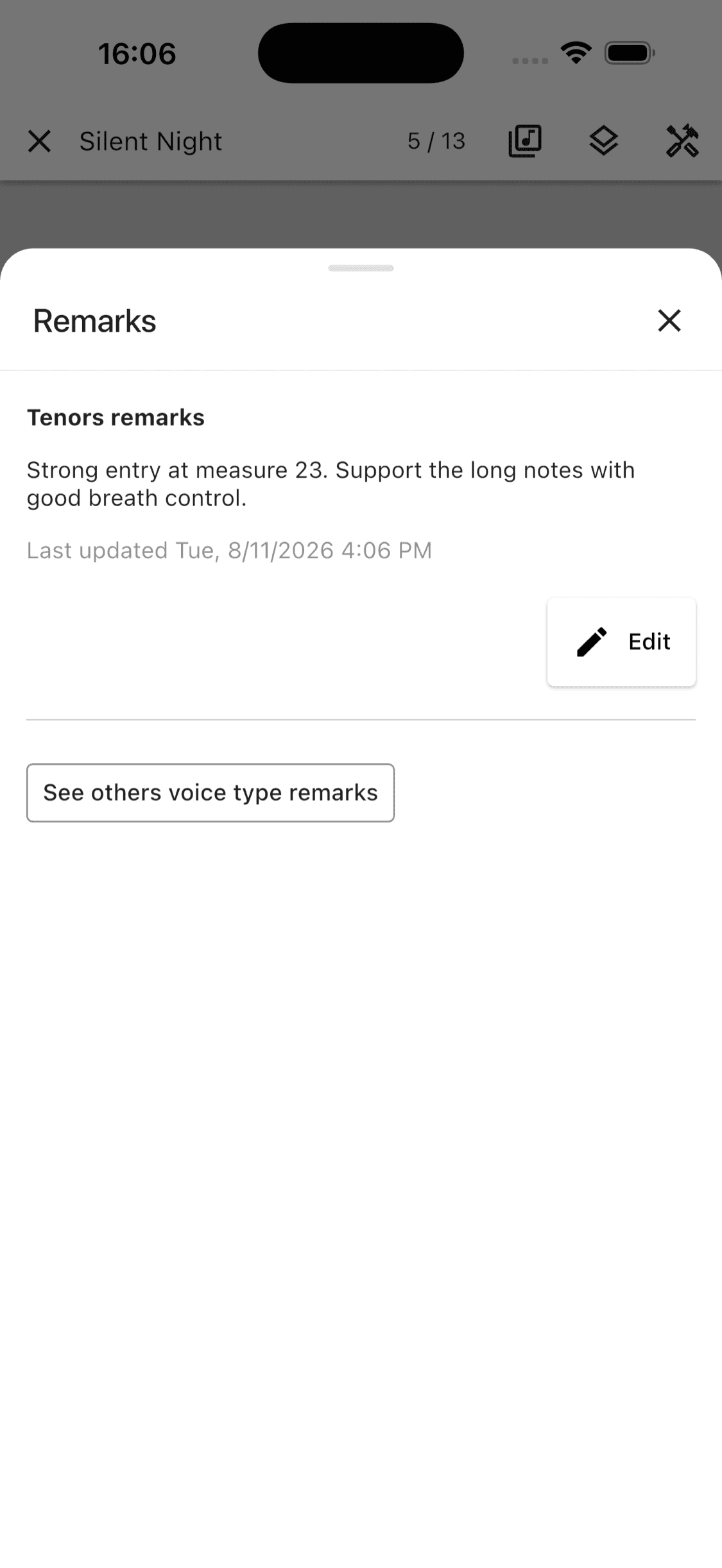
In the sheet music viewer, tap Tools, then Remarks. From a song or audio view, tap the visible Remarks button.
- 3
Read the relevant instructions
Your voice-part remark appears first. Tap See other voice type remarks if you want to read instructions for the other sections. A choir leader remark, when present, is shown separately.
- 4
Edit and save
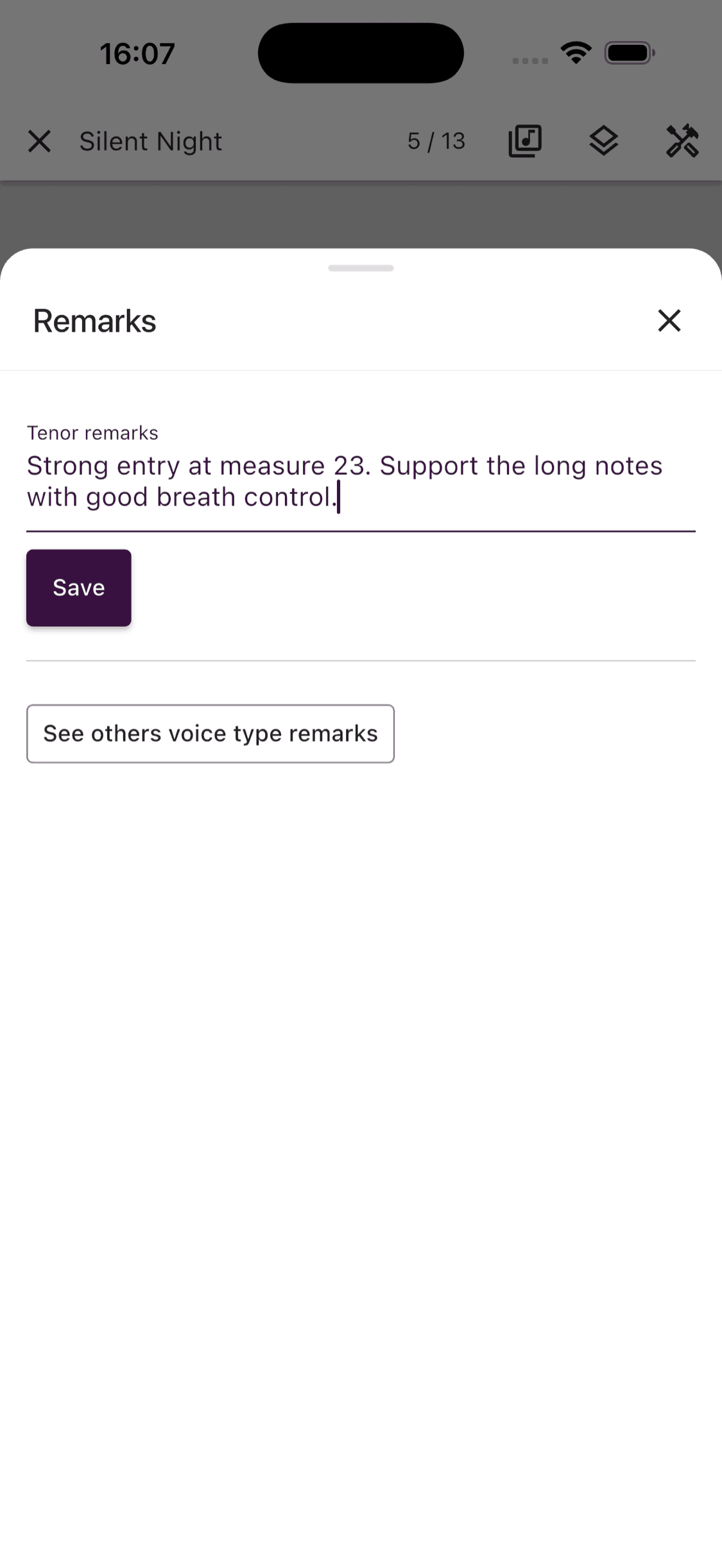
If you have editing access, tap Edit, update the instruction, and tap Save. The updated remark is immediately available anywhere the song's remarks are shown.
- 1
Open the song
Sign in at web.choirmate.com, open Set lists and repertoire, choose the set list, and select the song.
- 2
Open Remarks
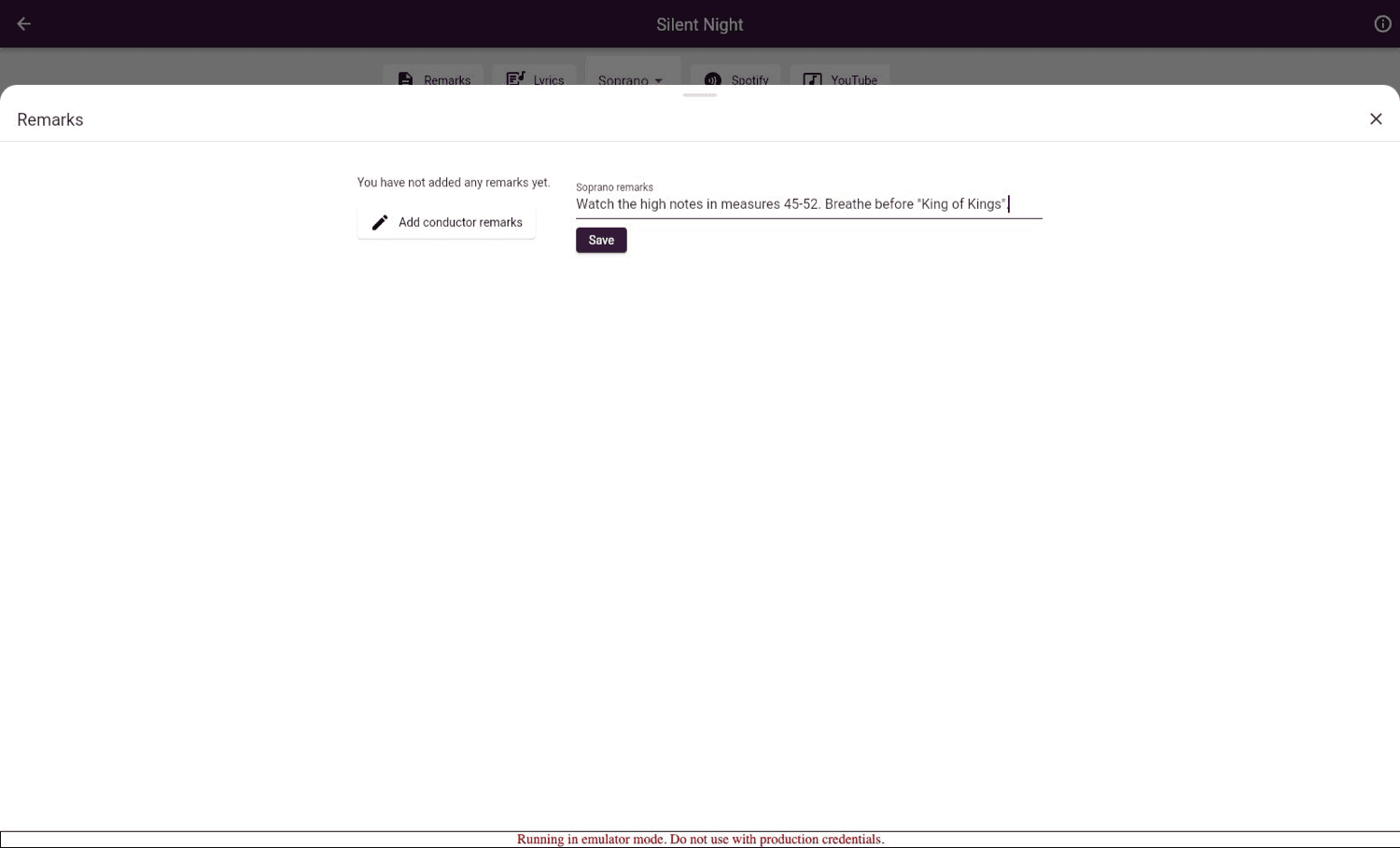
Switch to edit mode if needed, then select Remarks below the song's sheet music.
- 3
Edit and save
Select Edit, update the voice-part instruction, and select Save. You can also open the remarks for other voice parts from this panel.
Write remarks that stay useful
- Be specific. “Tenors, check the first note in bar 18” is easier to act on than “Practise intonation.”
- Put shared guidance in the choir leader remark and section details in the relevant voice-part remark.
- Replace instructions that are no longer relevant after a rehearsal.
- Use messages for discussion. Use remarks for guidance that should remain with the song.
Remarks and Song notes
Remarks are shared rehearsal material. Song notes are private practice notes that only you can see. Use remarks when the choir or a voice part needs the instruction, and Song notes for your own reminders and practice plan.