The repertoire is your choir's song library. A song only needs to be added once. You can then use the same entry in several set lists and keep its sheet music, recordings, lyrics, links, and remarks together.
Info
Owners and admins can manage the repertoire by default. A choir admin can also give editors or members access in the choir's permission settings. Learn about roles and permissions.
Add a song
- 1
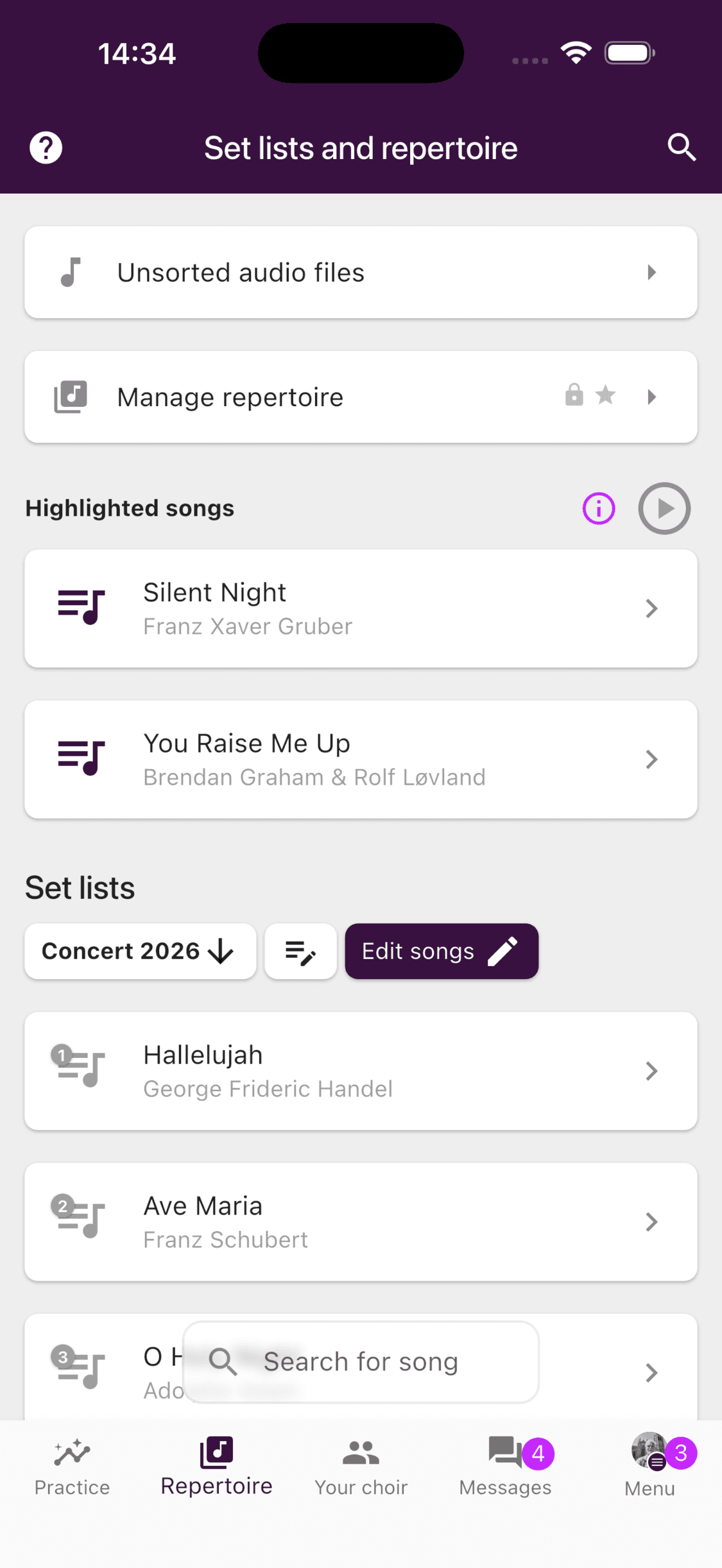
Open the repertoire controls
Open Repertoire and select Manage repertoire.
- 2
Search before creating a song
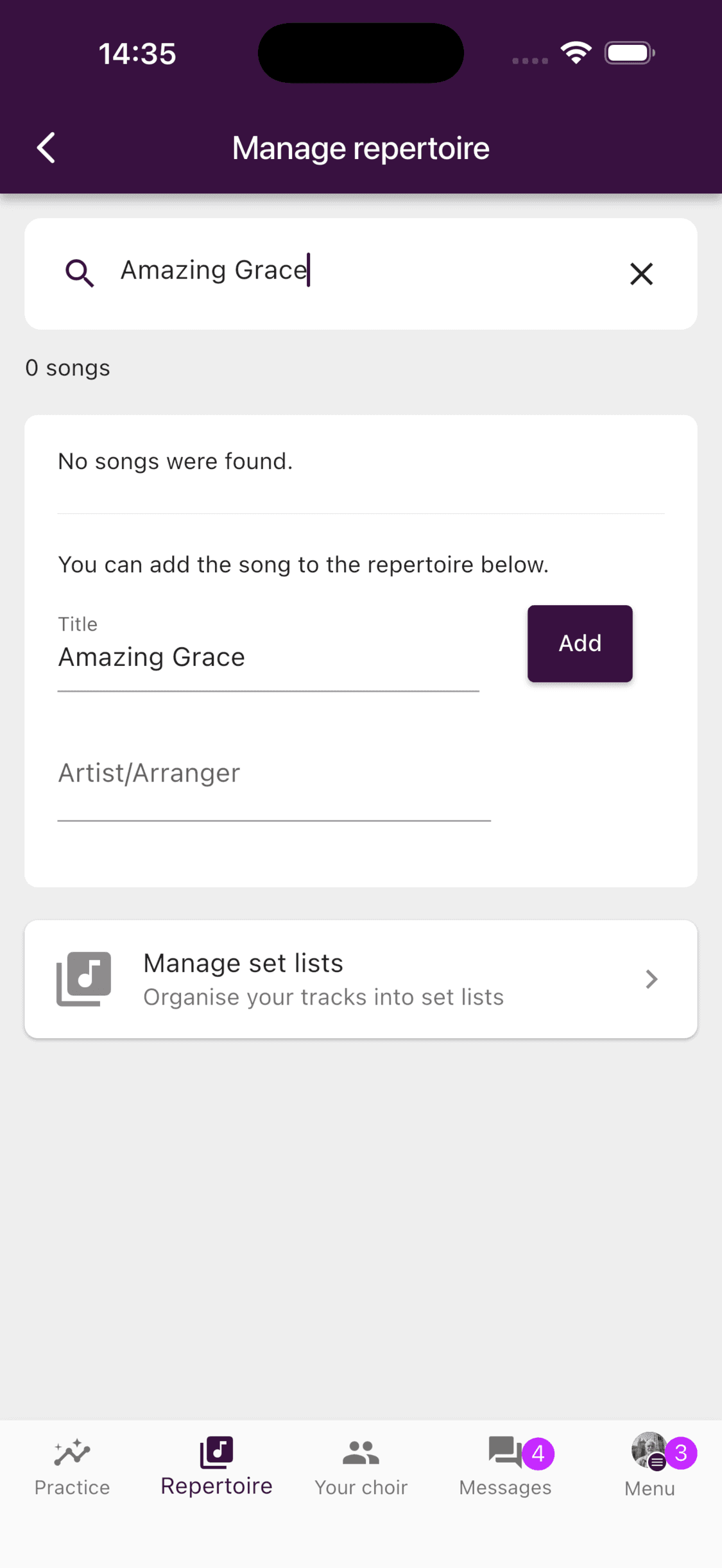
Enter the title in Search or add songs. ChoirMate shows matching repertoire entries as you type. Open the existing song if it is the arrangement you need. If there is no match, the form below the search is ready with the title you entered.
- 3
Add the song
Check the title, add the artist or arranger if you know it, and select Add. The artist or arranger is optional, but it makes similar arrangements easier to tell apart.
ChoirMate Web is especially useful when the sheet music and recordings are already on your computer.
- 1
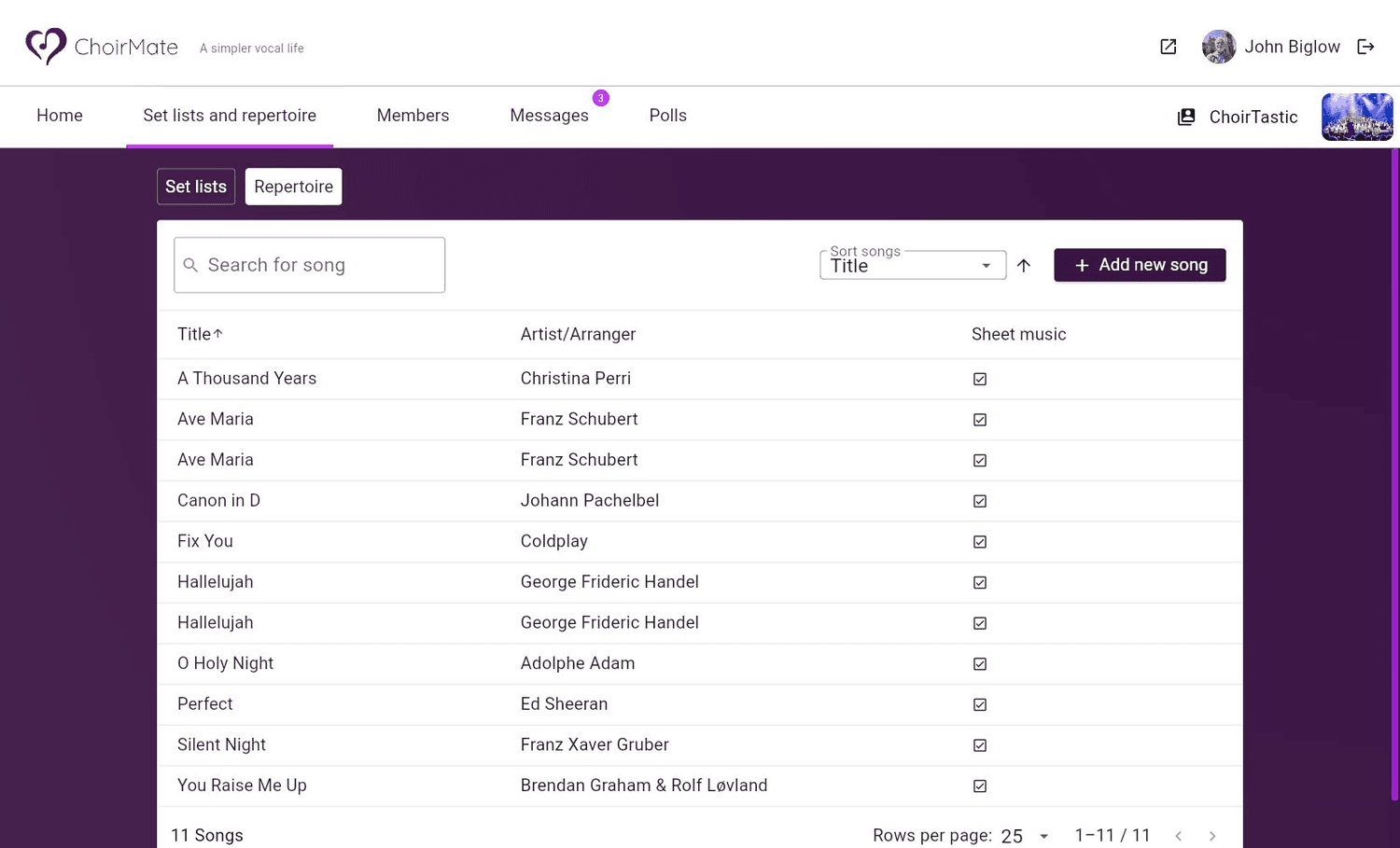
Open the repertoire
Open Set lists and repertoire, then select Repertoire. You can search the library, sort it, and see which songs already have sheet music. Select Add new song.
- 2
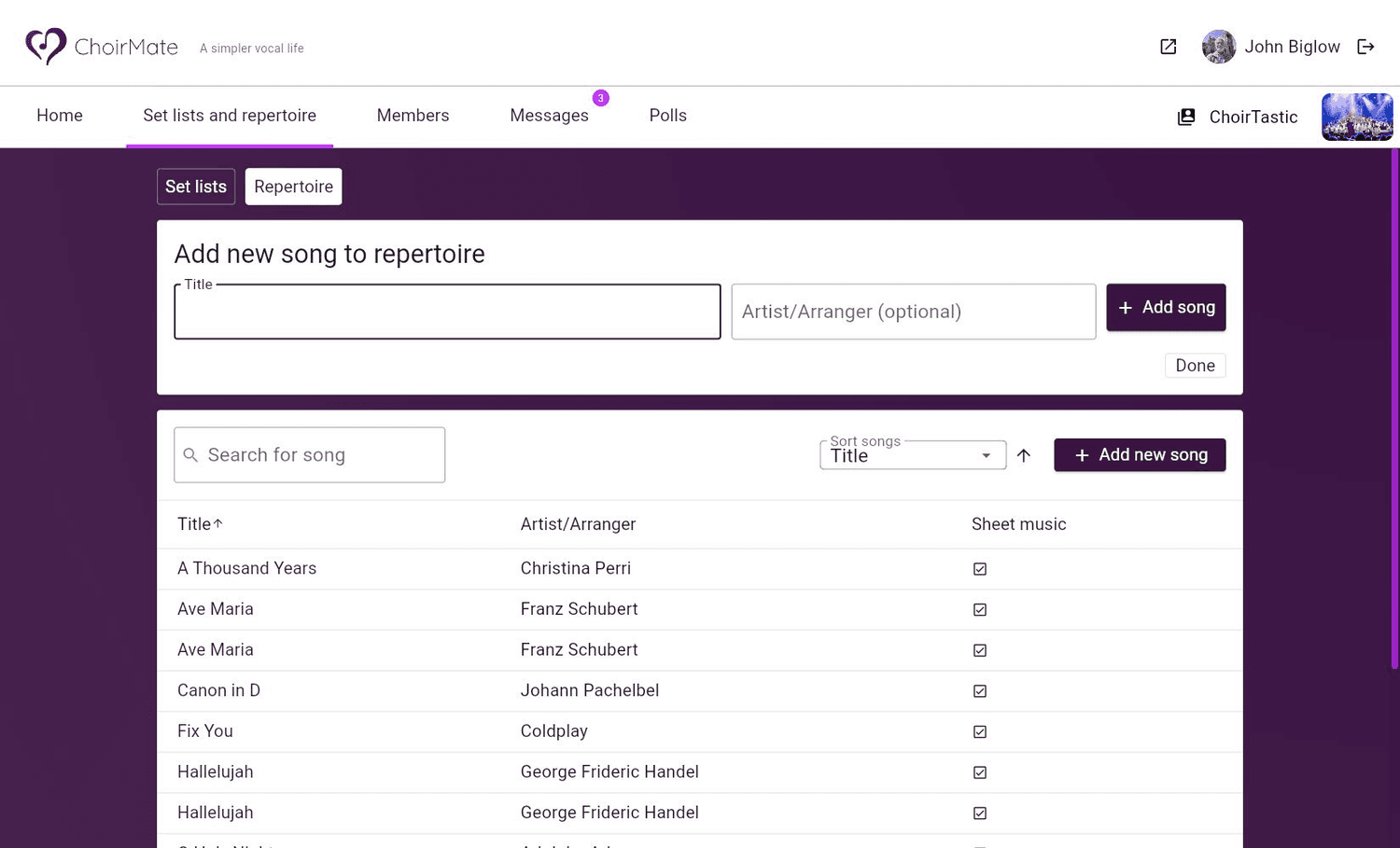
Enter the song details
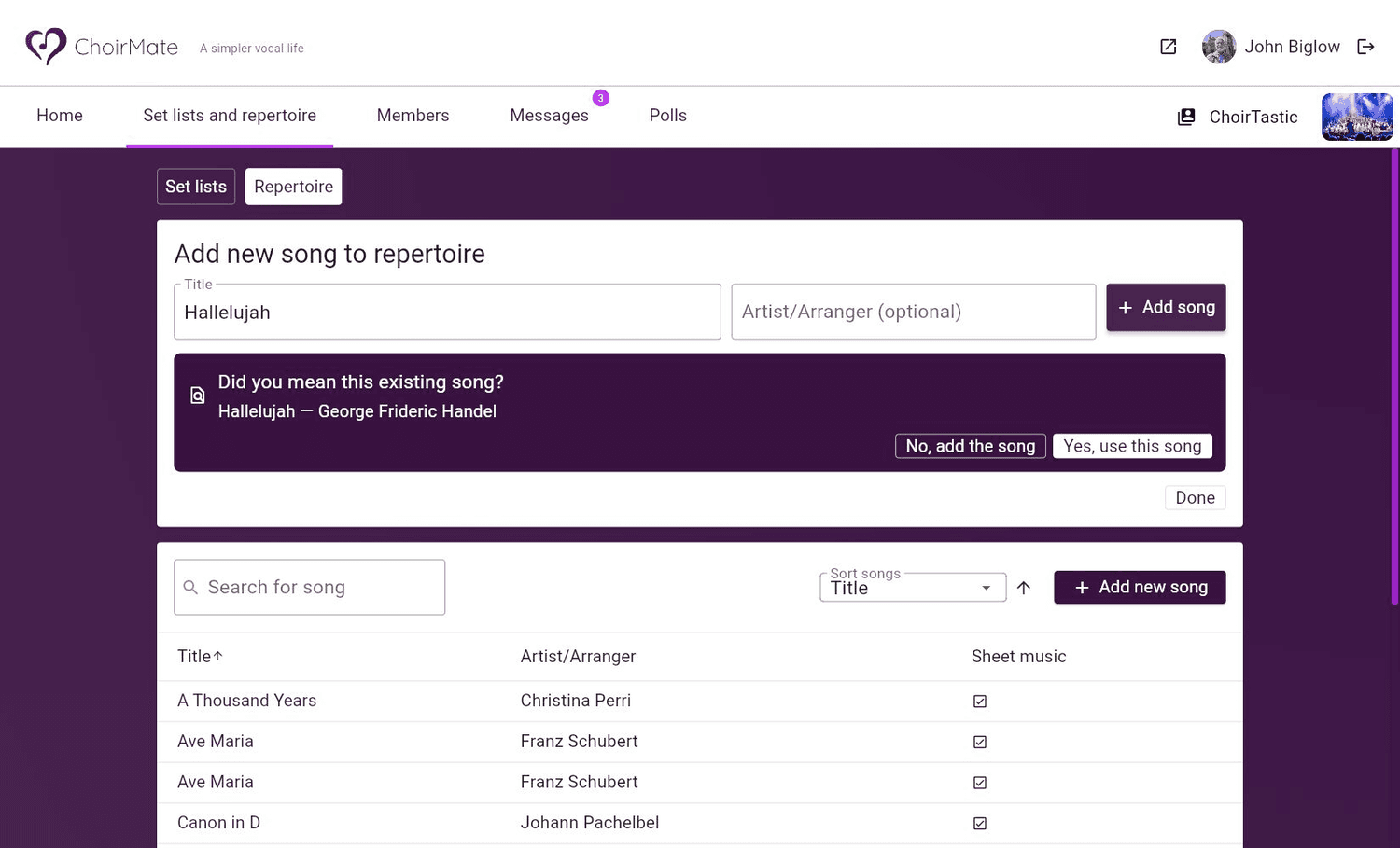
Enter the title and, if useful, the artist or arranger. Select Add song.
- 3
Check for an existing song
If ChoirMate finds a close match, review it before continuing. Choose Yes, use this song to avoid a duplicate, or choose No, add the song when you are adding a different arrangement with a similar title.
- 4
Finish adding songs
You can add several songs without closing the form. Each new entry appears under Recently added. Select Done when you have finished.
Add links to a song
Attach streaming services, reference recordings, pronunciation guides, or any other useful web page directly to a repertoire song. You can add multiple links and give each one a clear label.
- Spotify and YouTube: available as dedicated link types in the app and on the web.
- Apple Music: available as a dedicated link type in the app. On the web, choose Other and use Apple Music as the label.
- Any other URL: choose Link in the app, or Web or Other on the web.
- 1
Open the song
Open Repertoire, select Manage repertoire, and open the song.
- 2
Choose the link type
Select Links, then Add link. Choose Spotify, YouTube, Apple Music, or Link.
- 3
Save the link
Paste the URL, optionally add a label, and check who can see the link. Select Save.
- 1
Open the song
Open Set lists and repertoire, select Repertoire, and open the song.
- 2
Choose the link type
Expand Links and select Add link. Choose Spotify, YouTube, Web, or Other. For Apple Music, choose Other and add Apple Music as the label.
- 3
Save the link
Paste the URL, optionally add a label, and select Save.
Info
Visible links appear with the song's other material. Recognised services have their own buttons in the app, while general URLs appear under Links. If a link is not connected to a particular song, add it under Documents and links instead.
Add material and organise the repertoire
Open the song after adding it to upload sheet music and recordings, add lyrics, or attach other resources. A song can stay in the repertoire without belonging to a set list. When members should work on it for a rehearsal or performance, add it to the relevant set list.
Tip
Search by title before creating a song, and include the arranger when your choir keeps several versions of the same piece. This prevents recordings and sheet music from being split across duplicate entries.
If your choir has reached the song limit for its current plan, ChoirMate asks you to upgrade before adding more songs.