
Android sheet music fix is available
The fix for the Android sheet music viewing issue is now available in Google Play. Please update ChoirMate to version 9.37.2 to view sheet music normally inside the Android app again.
Download version 9.37.2
Open ChoirMate in Google Play on your Android device and install the latest update. If you have automatic updates enabled, version 9.37.2 may already be installed.
Fix available in Google Play
Version 9.37.2 is now available in Google Play. Update ChoirMate on your Android phone or tablet to read sheet music normally in the app again.
What happened?
An Android app issue caused some sheet music previews to fail or render incorrectly. This has been fixed in ChoirMate version 9.37.2, now available through Google Play.
If you cannot update right away
- 1
Open the sheet music in ChoirMate
Navigate to the song or repertoire item that contains the sheet music you want to view. - 2
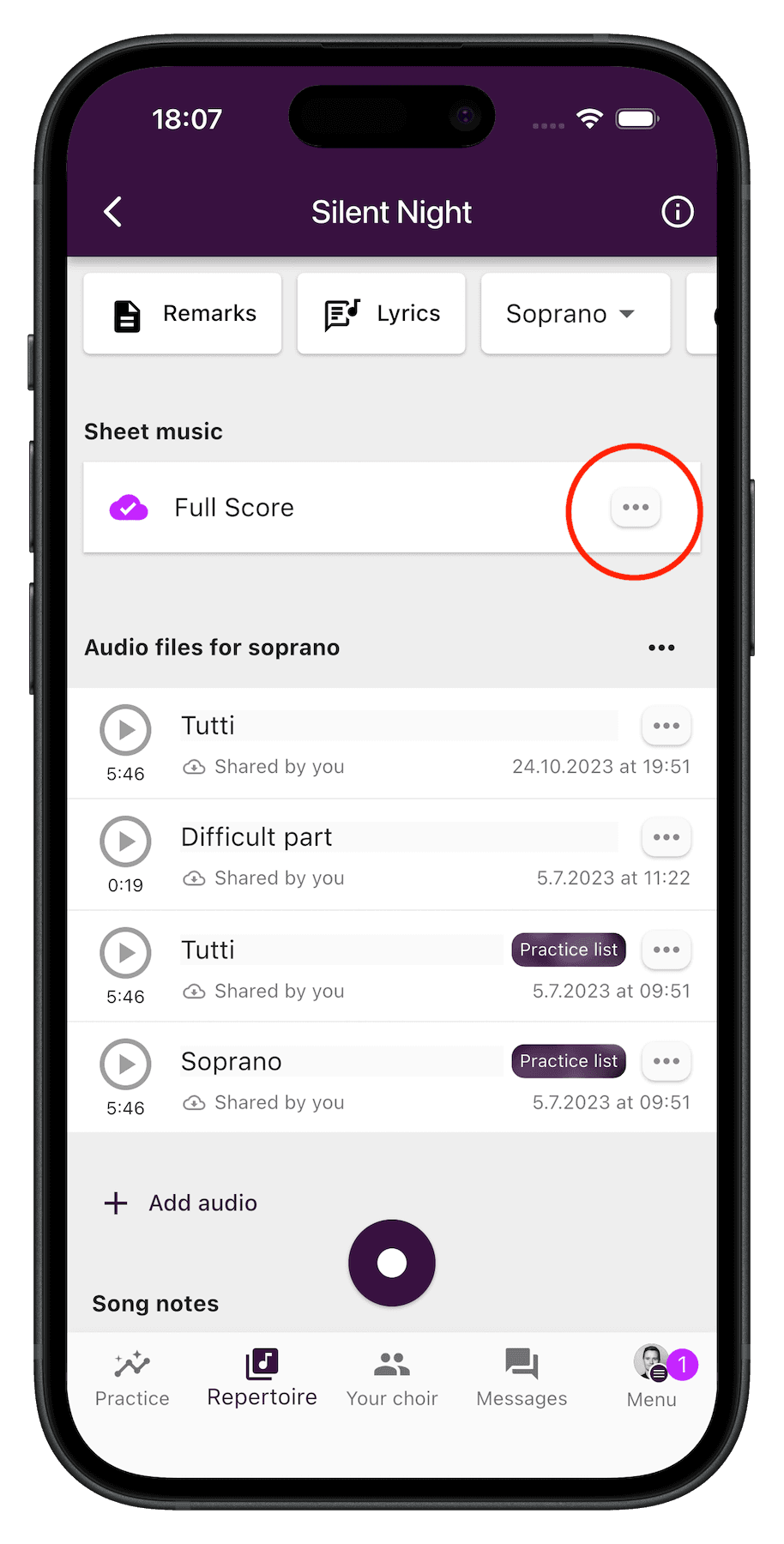
Tap the three-dotted button to the right of the sheet music
You'll find a ⋮ menu button to the right of the sheet music. Tap it to reveal additional options. - 3
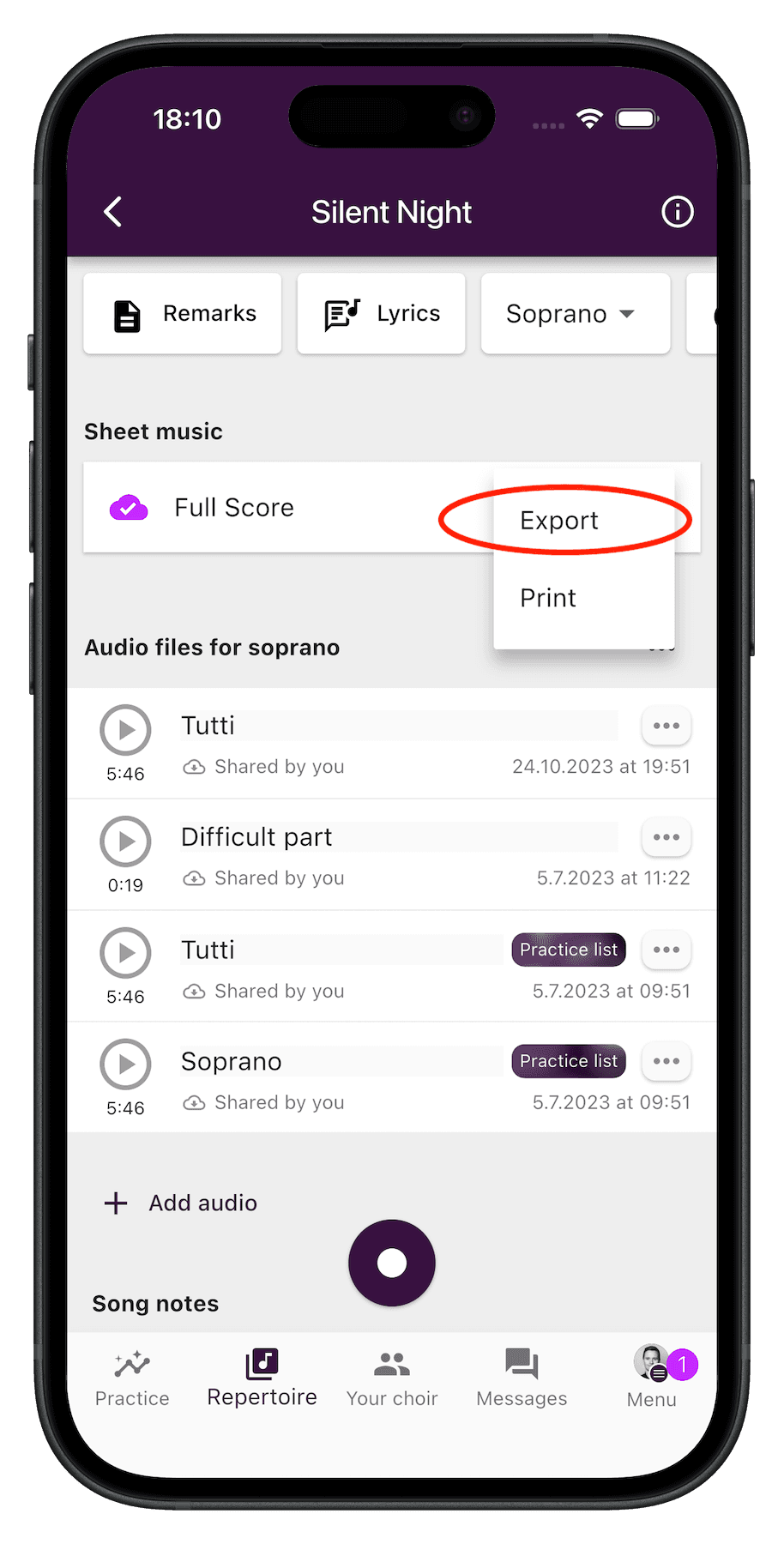
Choose “Export”
From the menu, select Export. Android will then show you a list of apps that can open the file. - 4
Pick a PDF or document viewer on your device
Any PDF viewer (such as Google Drive, Adobe Acrobat, or your preferred reader) will open the file correctly. You can save it for offline use from there if you'd like.
Other options
- Use the ChoirMate web app in your browser to view sheet music without issues.
- If you also have an iPhone, iPad, or Mac, sheet music displays normally there.
Still stuck?
If sheet music still does not display after updating to version 9.37.2, please reach out via the in-app chat or email support@choirmate.com.