

ChoirMate 10.3.0
Your part. The whole choir. Your balance.
Meet Track Mixer: hear your choir’s parts together, bring your own voice forward, and practise with the balance that helps you sing.
Learning a part is easier when you can hear where it belongs. Track Mixer plays separate audio files together, so you can move between listening to your own line and singing it with the rest of the choir.
One song. A mix that works for you.
Keep the choir around you, or listen closely to one part. Change the balance while the music plays.
Bring your part forward
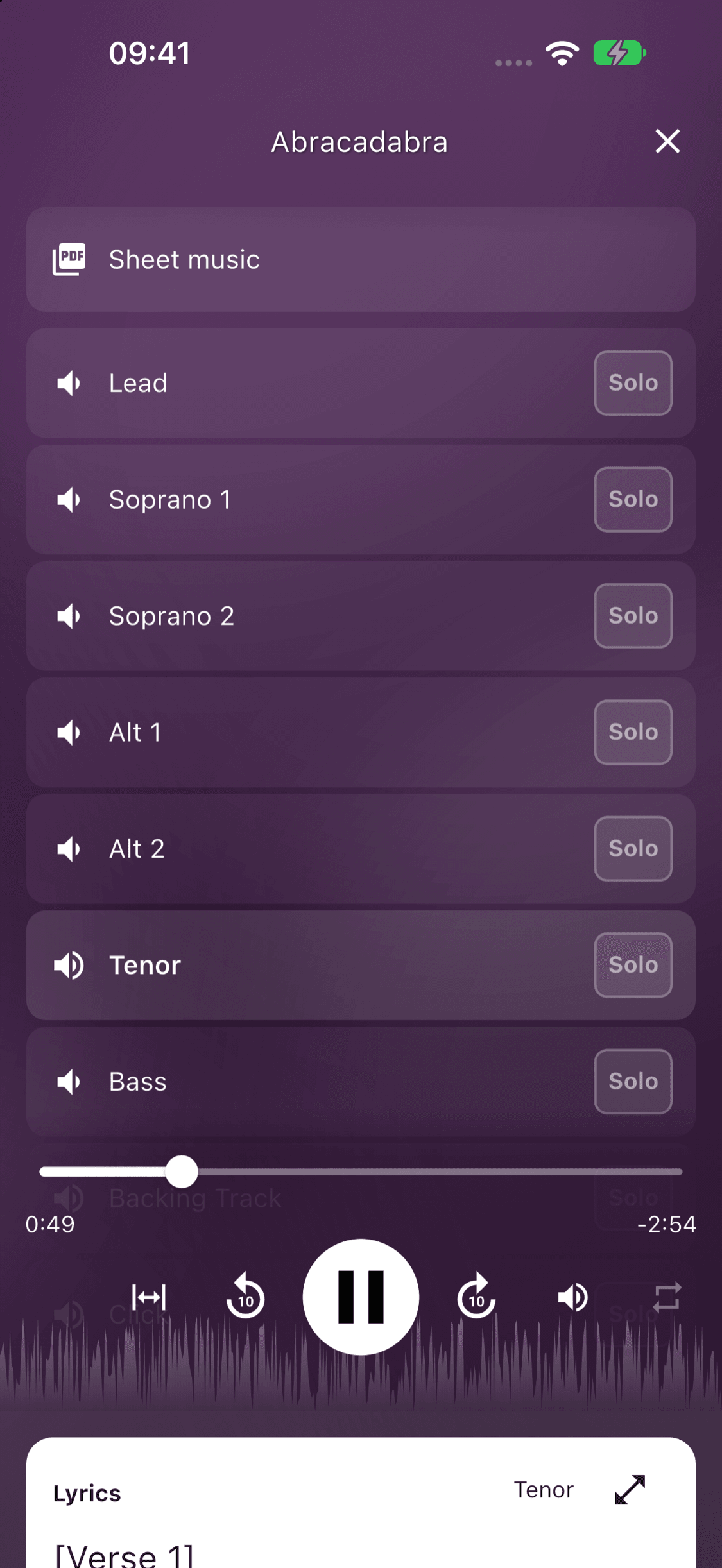
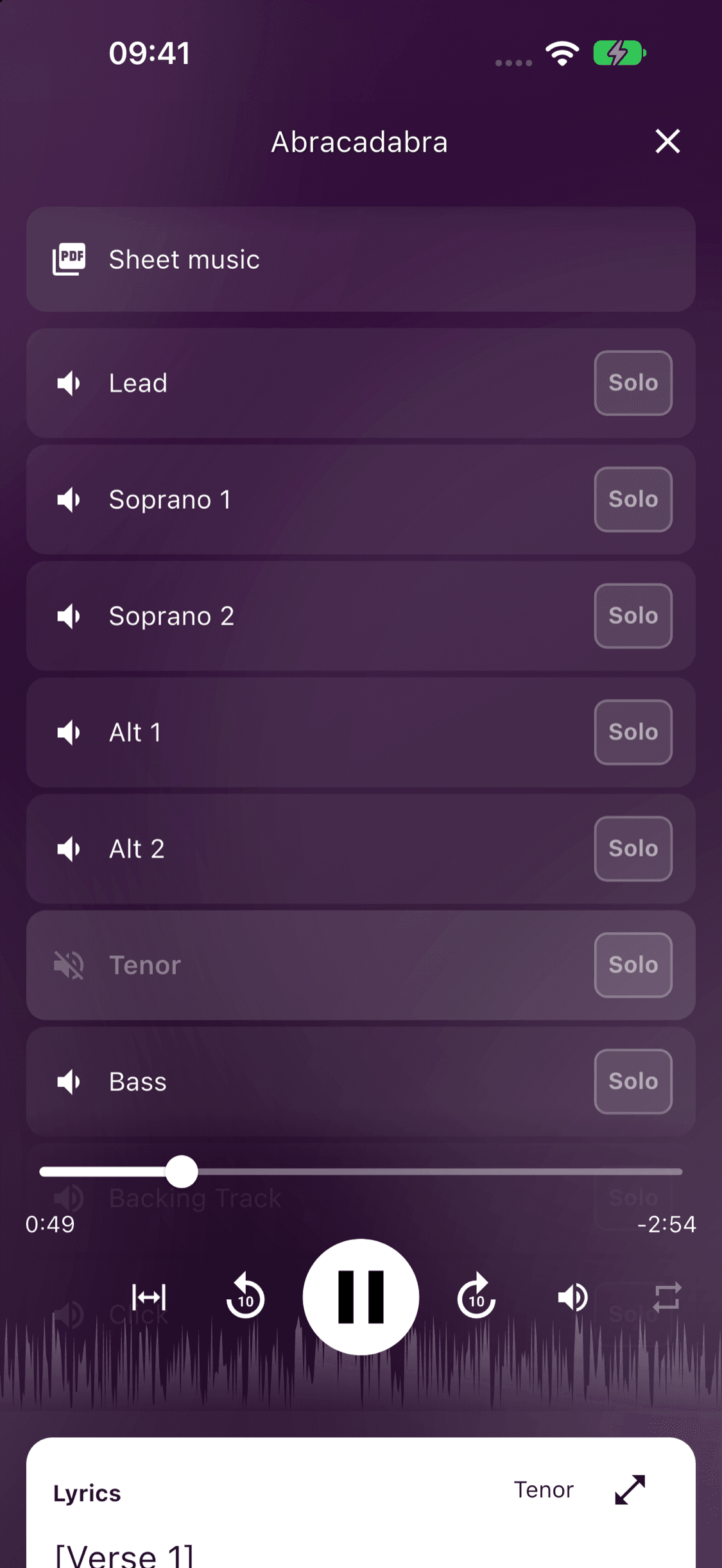
Raise your own part and lower the others while you learn the notes. As you become more confident, bring the other voices back into the mix. Each file has its own volume control, so you can also balance vocals, piano and backing tracks.
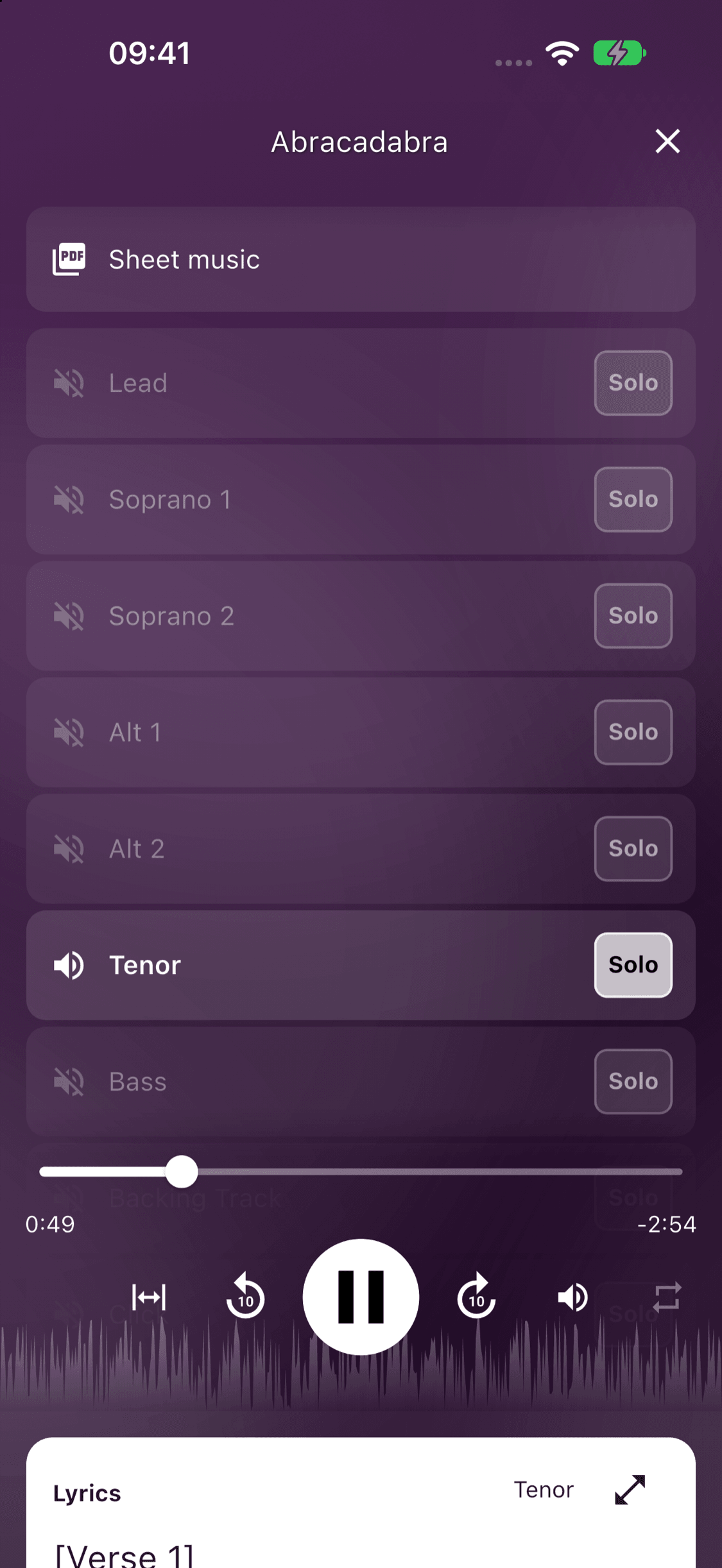
On your phone, tap a part to cycle between full volume, background volume and mute. Tap Solo to hear that part on its own.
Listen alone. Then sing with the others.
Solo a part to hear it on its own. Mute your own part when you are ready to sing against the other voices. Both choices happen in the same player, without switching between separate recordings. Playback speed and repeat controls help you work through a difficult passage.
Prepare the mixer once for your choir
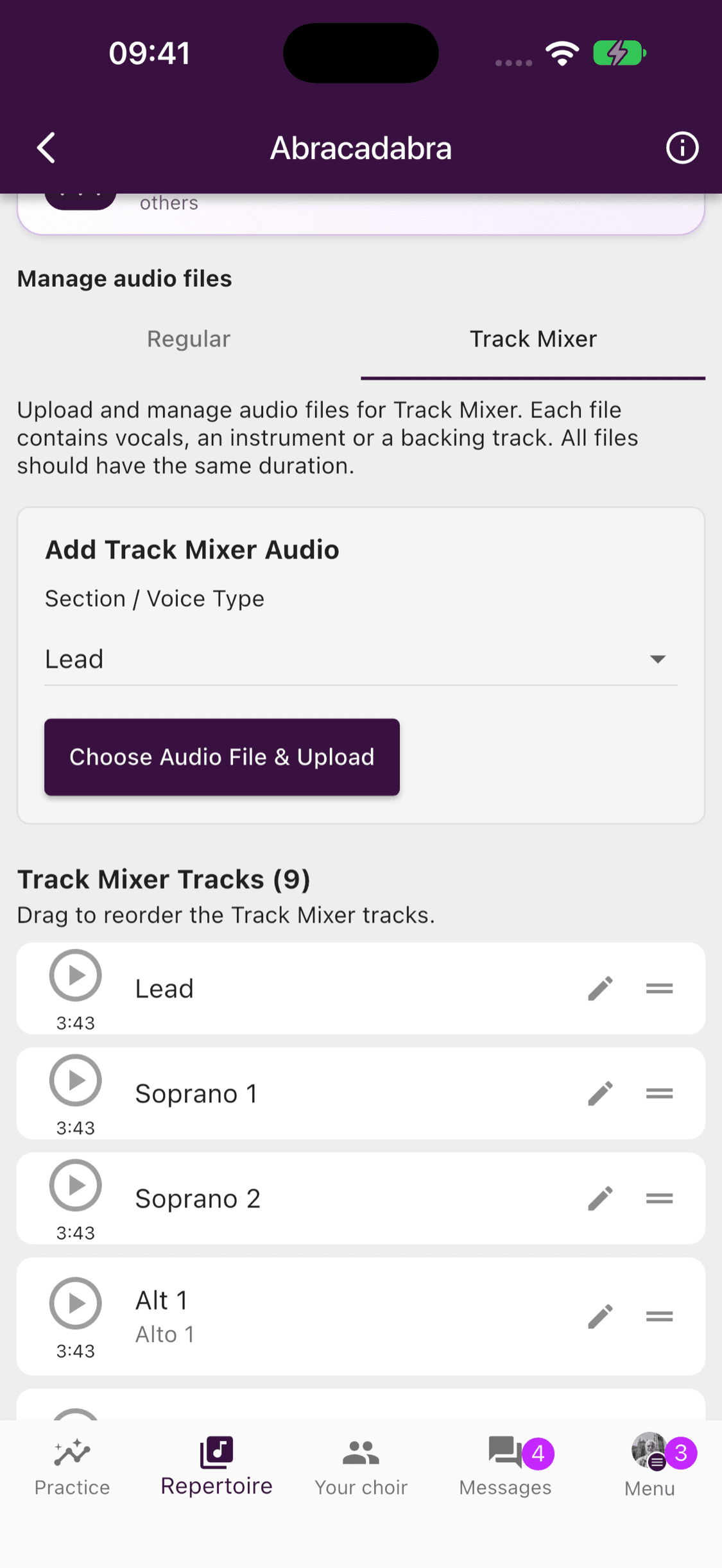
- Open a song in the repertoire and choose the Track Mixer management tab.
- Choose a voice part or custom label, then add its audio file. Repeat for the other parts.
- Use files with the same duration and the same starting point, so they line up when played together.
Regular recordings stay in the Regular tab. Mixer files have their own list, where repertoire managers can rename, reorder or remove them. On ChoirMate Web, files can also be dragged onto the upload area.
Available with ChoirMate Premium
Track Mixer is available with a Premium group subscription, an active Premium trial, or an individual Premium subscription. Members with Premium access can listen and make their own mix. Adding and managing shared files also requires repertoire-management permission. Those managers see the Regular and Track Mixer tabs even without Premium; trying to add a mixer file then opens the subscription options.