
Quoi de neuf dans ChoirMate
Découvrez les dernières fonctionnalités et améliorations
Trouvez votre équilibre avec le Mixeur de pistes
Écoutez les voix du chœur ensemble, ajustez chacune et répétez avec Solo et la coupure du son. Disponible avec Premium.
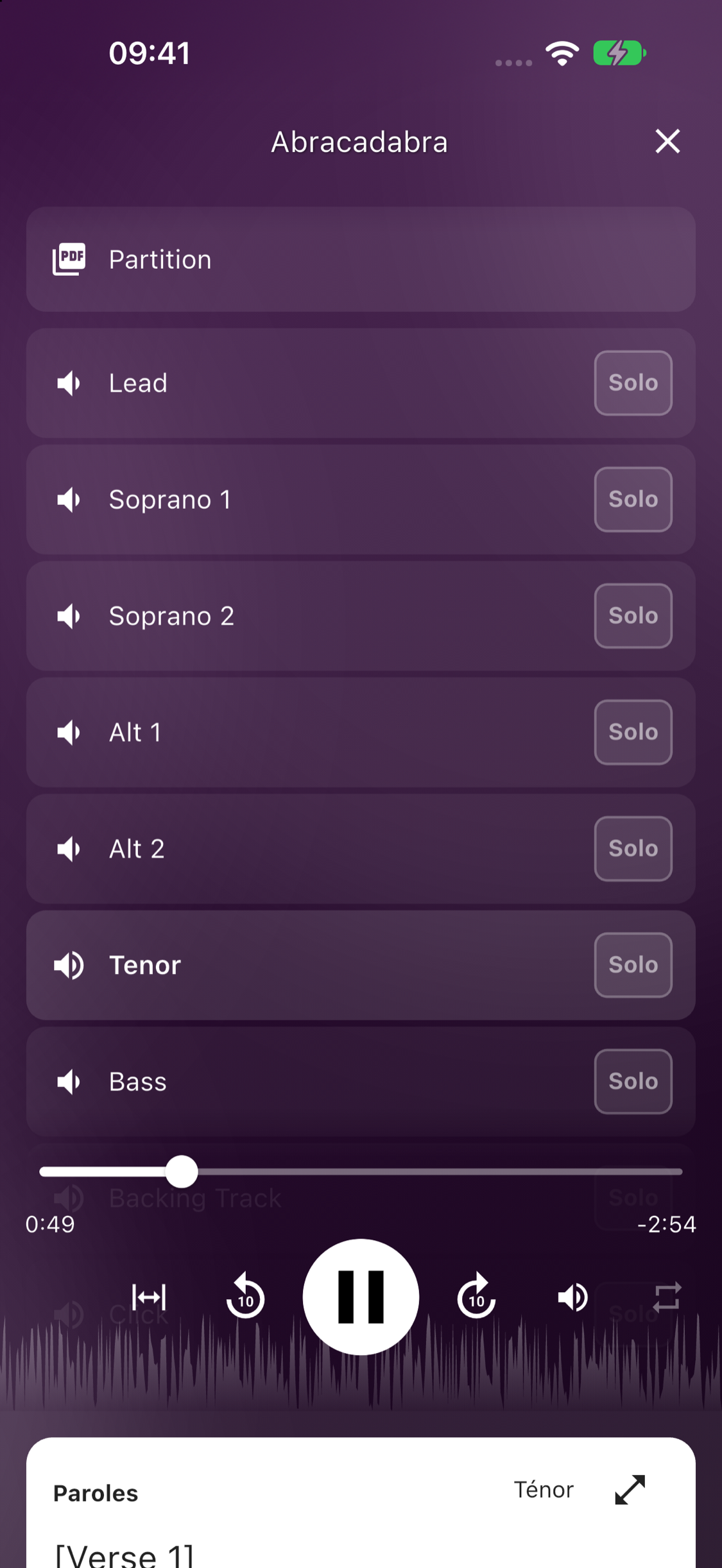
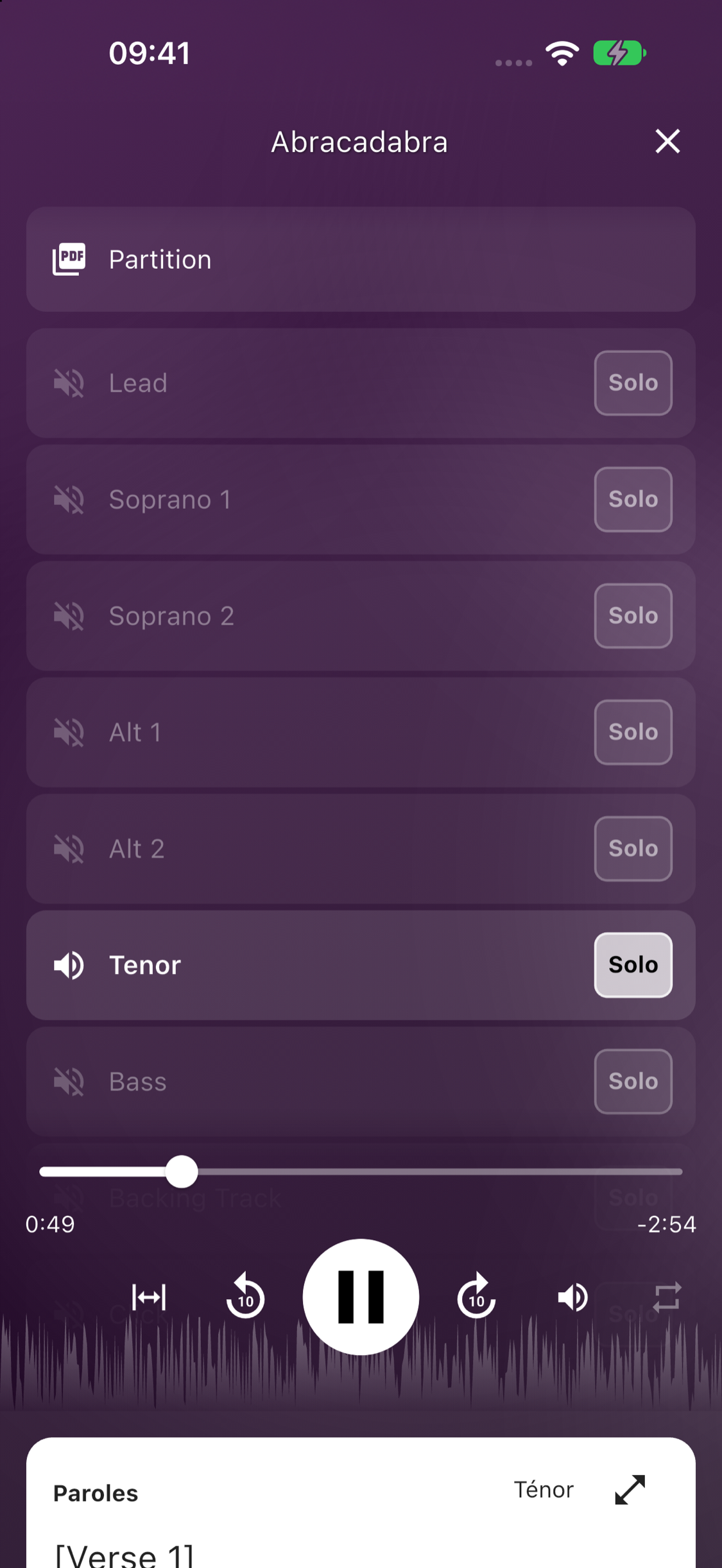
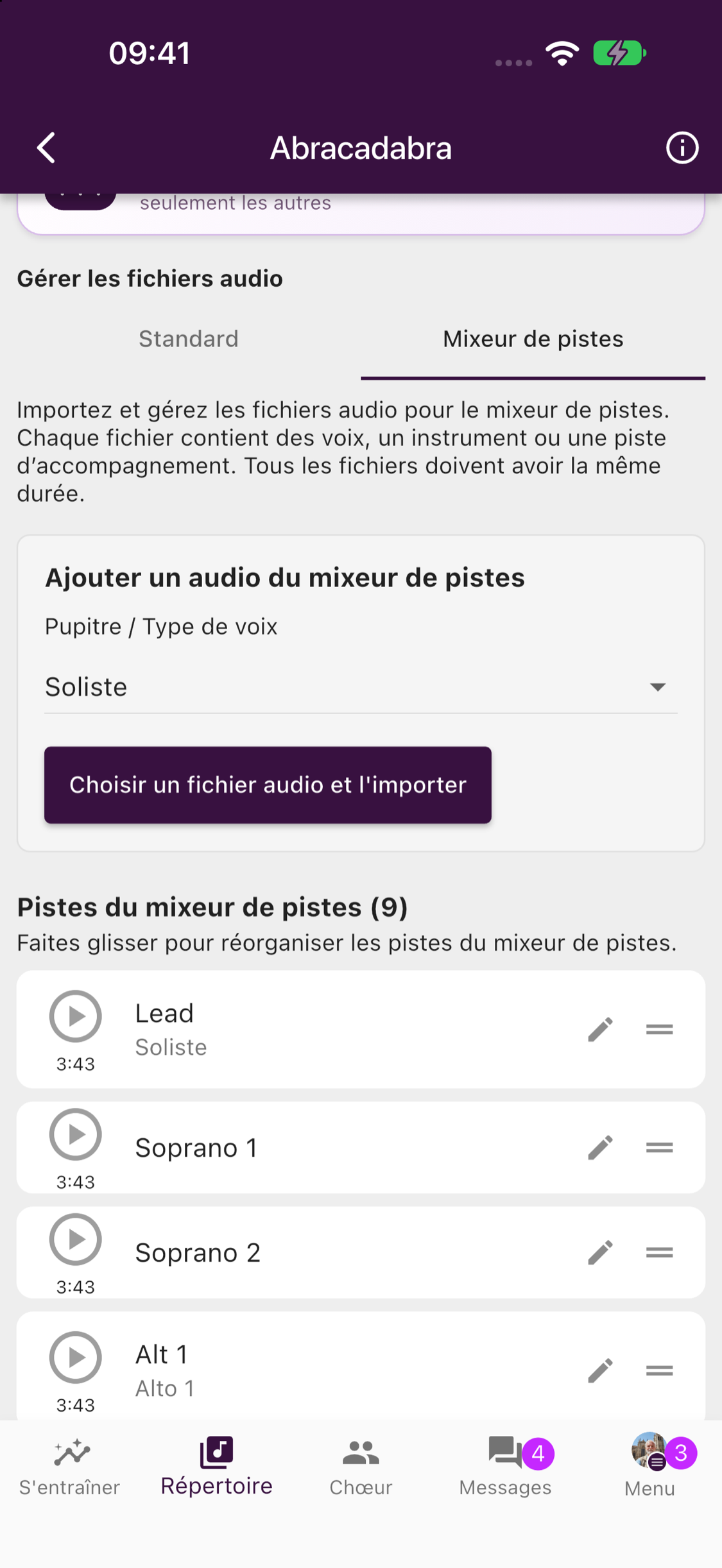
Le Mixeur de pistes est désormais disponible par défaut pour les morceaux du répertoire. Écoutez les voix séparées ensemble, ajustez leur volume, activez Solo pour apprendre une voix ou coupez-la pour chanter avec les autres.
Les responsables du répertoire peuvent ajouter et organiser les fichiers dans l’onglet du mixeur, à côté des fichiers habituels. Utilisez des enregistrements de même durée et avec le même point de départ.
Disponible avec un abonnement de groupe Premium, un essai Premium actif ou Premium individuel. Les membres peuvent écouter ; gérer les fichiers exige aussi le droit de gérer le répertoire.
Des partitions plus expressives et des répétitions mieux préparées
Ajoutez des crescendos aux partitions, naviguez plus vite entre les pages, préparez facilement les répétitions et retrouvez les anniversaires dans le calendrier.
Des partitions plus expressives
Ajoutez des indications musicales ajustables, comme des crescendos et des decrescendos, puis étirez-les pour les adapter au passage. Les nouveaux raccourcis entre les pages et la navigation améliorée au stylet facilitent également le travail sur vos partitions.
Préparez les répétitions plus rapidement
Gérez les morceaux prévus directement lorsque vous modifiez une répétition. La vue améliorée sur tablette réunit votre programme et votre répertoire, et ChoirMate peut suggérer des lieux souvent utilisés par votre chorale.
Les anniversaires de la chorale dans le calendrier
Les anniversaires que les membres choisissent de partager apparaissent désormais dans le calendrier, pour mieux célébrer les personnes qui font vivre la chorale.
ChoirMate en japonais
ChoirMate est désormais disponible en japonais.
Put Names to Faces
Meet your choir through quick Who's Who photo rounds, and optionally add pronouns to your own profile.
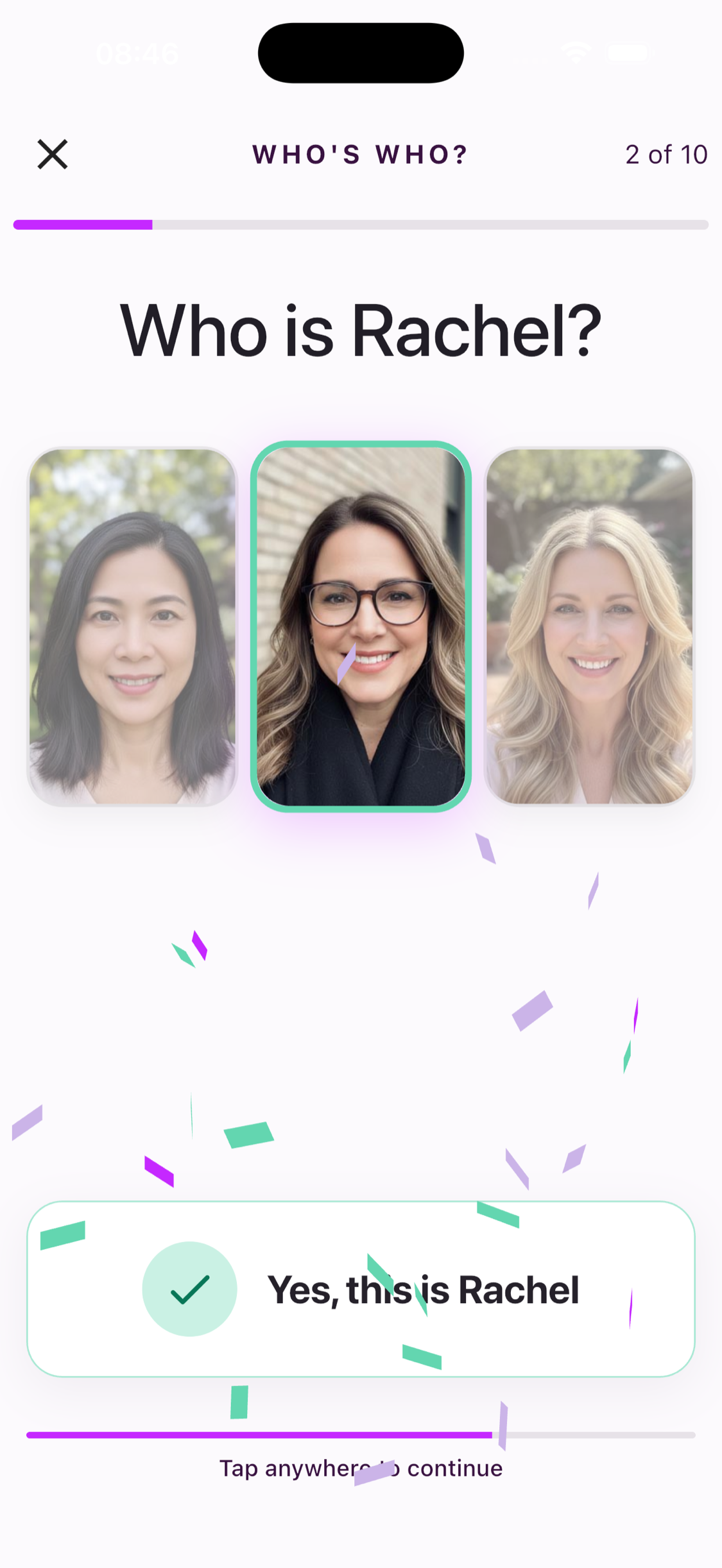
Meet Your Choir with Who's Who
Who's Who turns profile photos from members of your choir into quick ten-question name challenges. Start a round and choose which of three people matches the name.
Everyone in a ready choir can open the game and see the three real choices. Selecting an answer requires an active individual subscription, a choir subscription, or a free trial.
Read seven fun ways to remember names →
Pronouns, If You Want Them
You can now optionally add pronouns to your own profile. Choose a suggested option, enter your own, or leave the field unset. When added, your pronouns can appear alongside your profile, including in Who's Who.
Votre partition, vos annotations
Un tout nouveau lecteur de partitions avec annotations personnelles, pages plus fluides, mises en page flexibles et passage rapide d'un morceau à l'autre.
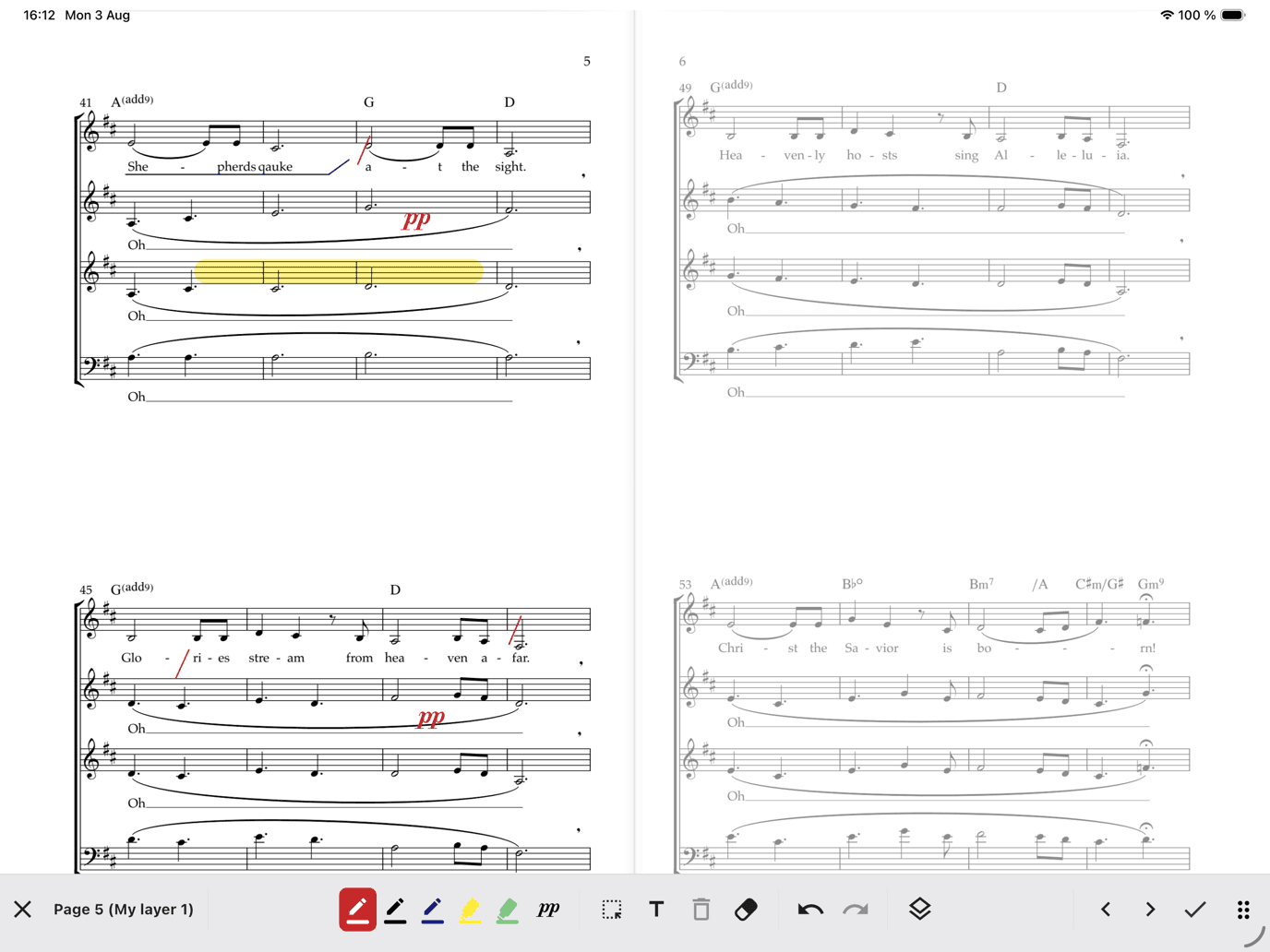
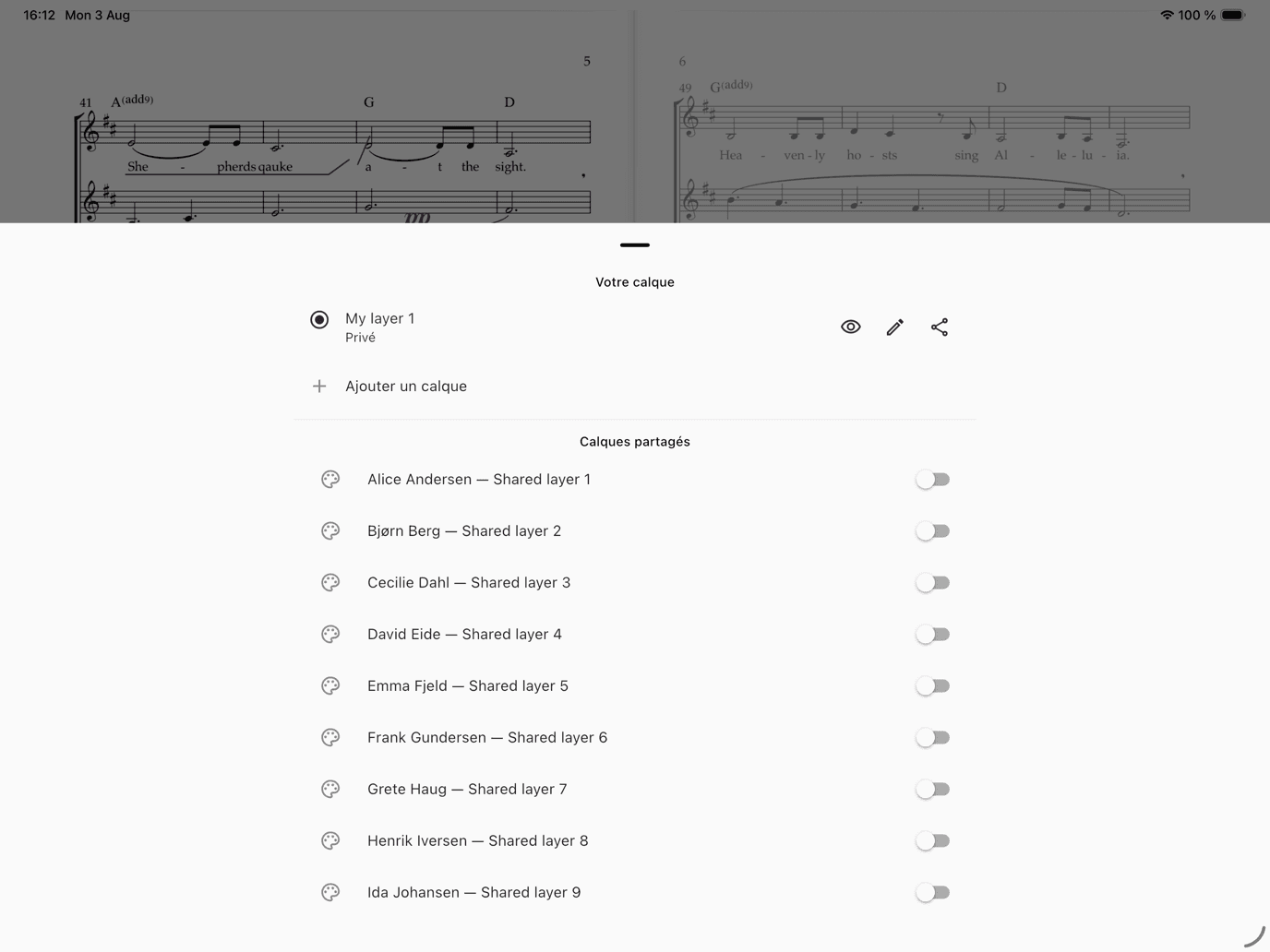
ChoirMate 10 est notre plus grande mise à jour des partitions. Le nouveau lecteur est conçu pour les répétitions, le travail personnel et la scène — et vos notes peuvent enfin rester directement sur la partition.
Un lecteur pensé pour les choristes
Tournez les pages en douceur, utilisez le curseur pour aller directement à une page, choisissez un affichage sur une ou deux pages et passez d'un morceau de vos programmes ou de la bibliothèque à l'autre sans fermer le lecteur. Audio, piano, paroles et remarques restent à portée de main.
Annotez votre propre partie
Marquez les respirations, entourez les départs, surlignez les nuances, ajoutez du texte ou placez des symboles musicaux directement sur la partition. Choisissez stylos et surligneurs, ajustez couleur et taille, déplacez les marques, effacez, annulez et rétablissez.
Votre calque personnel est privé par défaut et vous suit sur vos appareils. Créez d'autres calques pour différentes répétitions ou utilisations. Les responsables autorisés peuvent partager un calque avec toute la chorale, un pupitre ou certains choristes.
Période de lancement gratuite, puis Premium
Les annotations sont gratuites pour tous pendant la période de lancement. Ensuite, leur enregistrement sera inclus avec Premium individuel ou Premium pour le groupe. Vos marques restent conservées si votre accès prend fin et réapparaissent lorsque Premium est activé. Tout le monde peut continuer à essayer les outils dans une courte démonstration non enregistrée.
Découvrez comment annoter vos partitions →
Également dans ChoirMate 10
- Importez des partitions PDF partagées depuis d'autres applications
- Passez plus rapidement des morceaux récents à la bibliothèque
- Meilleur enregistrement hors ligne et export des PDF annotés
Promote Your Concerts
Turn any event into a public, shareable concert page with photos, venue info, and ticket links. Plus meet-up times, emergency contacts, and smarter multi-day events.
Version 9.38.0 is about the practical details that make choir life run smoother — led by a brand-new way to fill the seats at your next concert. And while this update focuses on the smaller things, some of the biggest features we have ever built are taking shape behind the scenes. More on that soon.
Public Event Pages
Choir Admins can now turn any event into a beautiful public web page — no choir website required. Add a hero image and a photo gallery, show the venue with a map link, and add ticket links or a "Tickets at the door" badge. Concert runs with several performances are fully supported, each with its own time and, if you need it, its own ticket link.
Publishing takes a minute: open an event of type Concert or Hired performance — those are the types that show the Publish event banner — review the page, which is mostly prefilled from the event, and publish. Then share the link on WhatsApp, SMS, email, or anywhere else, straight from the share screen.

The page updates whenever you edit it, and you can unpublish it at any time. Public event pages are available for groups with a Standard or Premium subscription, or during an active trial.
For a full walkthrough, see the event promotion guide.
Meet-Up Time on Events
Need everyone in place before the downbeat? Events can now carry a separate meet-up time ahead of the official start. Members see both times on the event, so "meet 18:30, start 19:00" no longer has to live in a message thread.
Emergency Contacts
You can now add emergency contacts to your profile — name, phone number, and how they are related to you. If something happens at a rehearsal, a concert, or on tour, the right person can be reached quickly.
Multi-Day Events Stay Visible
Seminar weekends and tours no longer vanish from the upcoming list after day one. Ongoing events now stay visible until they actually end.
That is version 9.38.0. Meanwhile, we are deep into some of the most ambitious features ChoirMate has ever seen — watch this space.
Audio Editor
Trim, split, and delete sections of your audio files right inside the app. The new Audio Editor gives you precise editing with undo support.
Edit Audio Without Leaving the App
The new Audio Editor lets you trim, split, and clean up audio files directly in ChoirMate. No more switching to a separate app to cut out silence at the start or split a long recording into individual songs.

Three Editing Modes
Trim removes everything outside your selection. Drag the handles to mark the section you want to keep, then tap Trim to selection.
Split divides a recording into two parts at the playhead position. Place the playhead where you want the cut, and tap Split here. Both parts are saved as separate files.
Delete removes a selected section and keeps the rest. Useful for cutting out a cough, a break, or a false start in the middle of a take.

Zoom and Undo
Pinch to zoom in for precise edits. Pan left and right to navigate through longer recordings. Every edit can be undone, so you can experiment without worry.
Generated Files
Each edit produces new files that appear below the editor. You can preview them, rename them, or delete ones you do not need before saving. When you save, the files are added to your repertoire.

Premium Feature
The Audio Editor is available with a Premium subscription. Open a song in your repertoire, tap the menu, and select Trim to get started.
Apple Watch & Wear OS
Record your entire choir without leaving your spot. ChoirMate is now on your wrist with Remote Recording Mode, song browsing, and lyrics.
Record Your Choir From Your Wrist
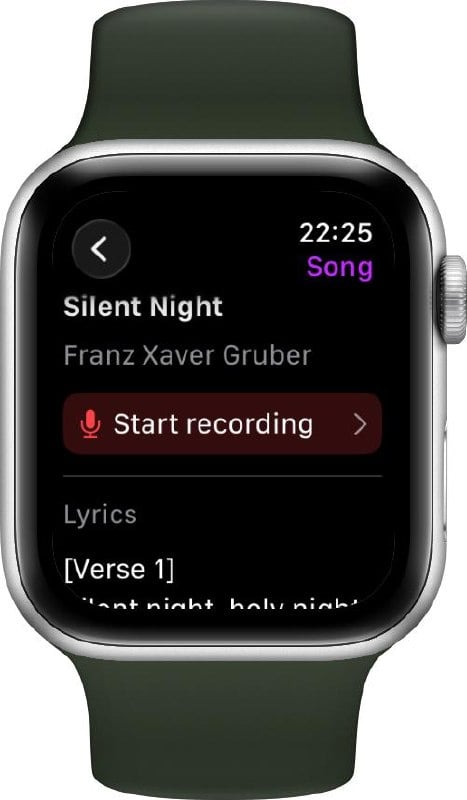
ChoirMate is now available on Apple Watch and Wear OS. The headline feature: Remote Recording Mode lets you turn your phone into a standalone microphone and control the entire recording from your watch.

Remote Recording Mode
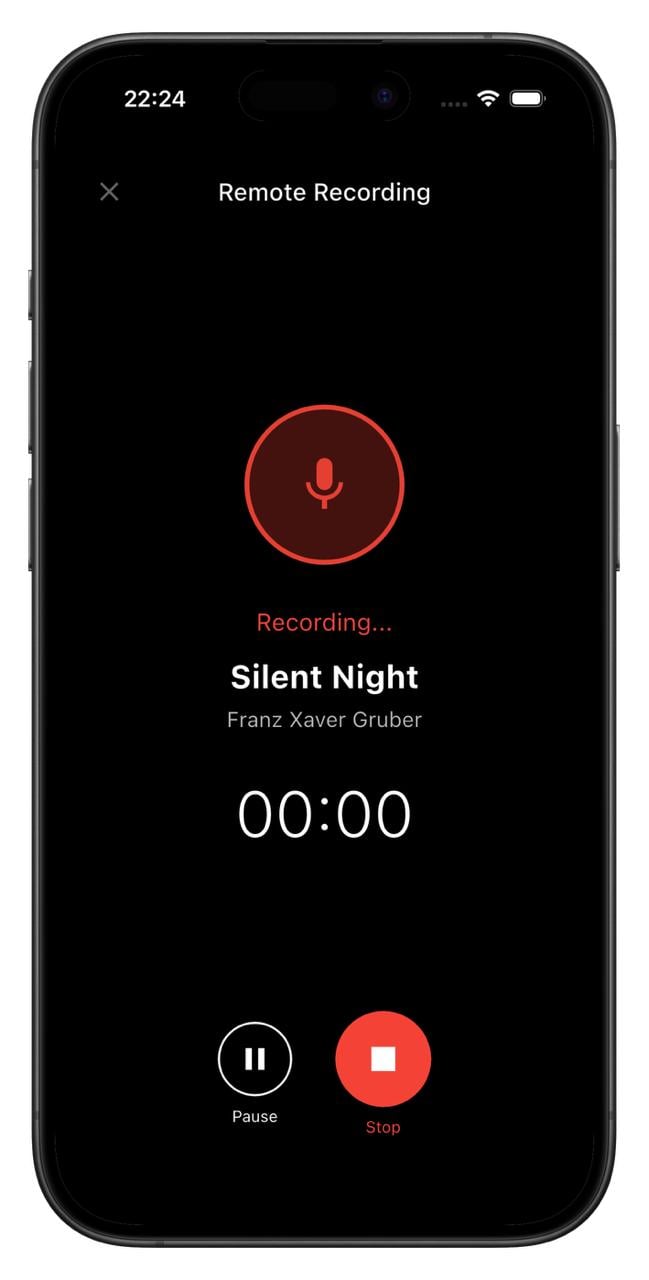
Place your phone in the middle of the rehearsal room, walk back to your spot, and start recording from your watch. Pause, resume, or stop whenever you need to. The recording saves directly to the song in your repertoire.
No more running back and forth to press record. You stay with the singers where you belong.
Browse Songs & Read Lyrics
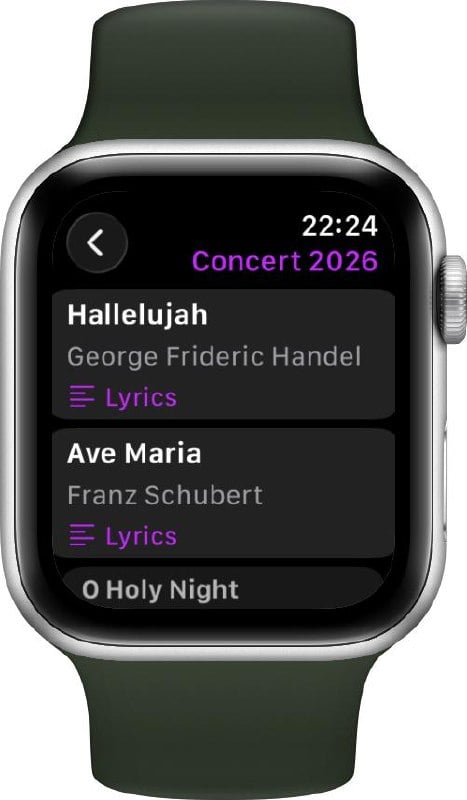
Your watch gives you quick access to your choir's setlists and songs. Tap into any setlist to see the songs, and open a song to read lyrics right on your wrist. Handy for a quick check before going on stage.
Getting Started
To use ChoirMate on your watch:
- Apple Watch: Open the Watch app on your iPhone, scroll to ChoirMate, and tap Install.
- Wear OS: Download the ChoirMate Wear app from Google Play.
Once installed, the watch connects automatically to ChoirMate on your phone.
Premium
Remote Recording Mode and viewing lyrics on the watch are Premium features. Browsing songs and setlists is available for everyone.
For a full walkthrough, see the smartwatch guide.
Requirements
- Apple Watch: watchOS 10 or later
- Wear OS: Wear OS 4 or later
Paroles personnelles & annulation d'événements
Ajoutez vos propres paroles à n'importe quel morceau pour votre usage personnel, et les administrateurs de chorale peuvent désormais annuler et réactiver des événements avec notifications automatiques.
Vos propres paroles
Vous pouvez désormais ajouter vos propres paroles à n'importe quel morceau du répertoire. Que vous souhaitiez noter des aides phonétiques, écrire des traductions ou conserver votre propre version du texte, vos paroles sont stockées de manière privée et ne sont visibles que par vous.
Basculez à tout moment entre les paroles officielles de la chorale et votre version personnelle grâce au sélecteur de vue dans le panneau des paroles. Vos paroles personnelles sont également incluses lors de la génération d'un PDF du morceau.
L'ajout de paroles personnelles est disponible pour les abonnés Premium. En savoir plus sur les paroles dans ChoirMate →
Annulation d'événements
Les administrateurs de chorale peuvent désormais annuler un événement directement depuis l'écran de gestion des événements. Lorsqu'un événement est annulé, tous les membres concernés sont automatiquement notifiés et le titre de l'événement est mis à jour pour indiquer clairement l'annulation.
Vous avez changé d'avis ? Les événements annulés peuvent être réactivés à tout moment, et les membres seront de nouveau notifiés.
Android Auto Integration
Practice your choir music on the go! ChoirMate now works with Android Auto, giving you full playback controls right from your car's dashboard.
We're bringing ChoirMate to Android Auto! If you're an Android user, you can now browse and play your choir's practice tracks, set lists, and audio files directly from your car's infotainment system.
Whether you're driving to rehearsal or just commuting, you can make the most of your time by listening to your parts. The Android Auto interface shows your current queue with song titles, and gives you play/pause, skip, and seek controls right on the dashboard.
Your Practice Lists, Right in the Car
With a ChoirMate Premium subscription, you can build personalized practice lists with exactly the tracks you need to work on. These practice lists are now available directly through Android Auto, so you can queue up your next rehearsal session before you even leave the driveway.
All the Same Features as CarPlay
The Android Auto integration includes the same features as the Apple CarPlay integration released in version 9.31.0:
- Browse set lists and practice lists from the car's display
- Repeat Part mode to loop tricky sections
- Fine-tune loops with ±5-second controls
- Automatic playback from song to song
- Repeat mode (off, repeat all, repeat one)
Event Attachments & PDF Downloads
Attach posts, calendar events, polls, or files directly to an event. Plus, PDFs shared in messages can now be downloaded.
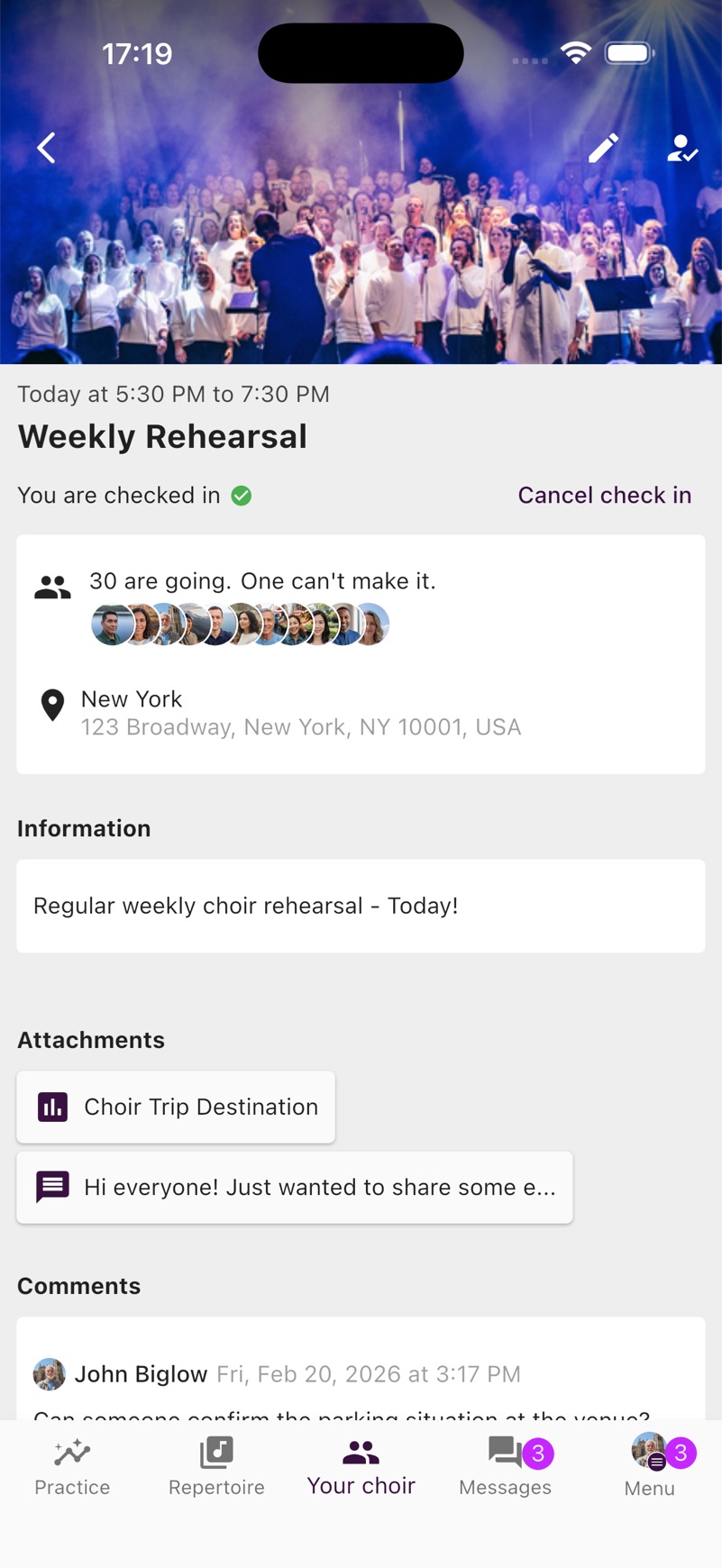
Events can now have content attached to them. Attach posts from the choir leadership, calendar events, polls, or files from the Documents and Links library directly to an event, so your members have everything they need in one place.
Standard subscriptions can attach up to 3 items per event, while Premium allows up to 10.
Additionally, PDFs shared in messages can now be downloaded and shared directly from the viewer, making it easy to save documents to your device.
This release also includes stability improvements to the Apple CarPlay integration.
Apple CarPlay Integration
Practice your choir music on the go! ChoirMate now works with Apple CarPlay, giving you full playback controls right from your car's dashboard.
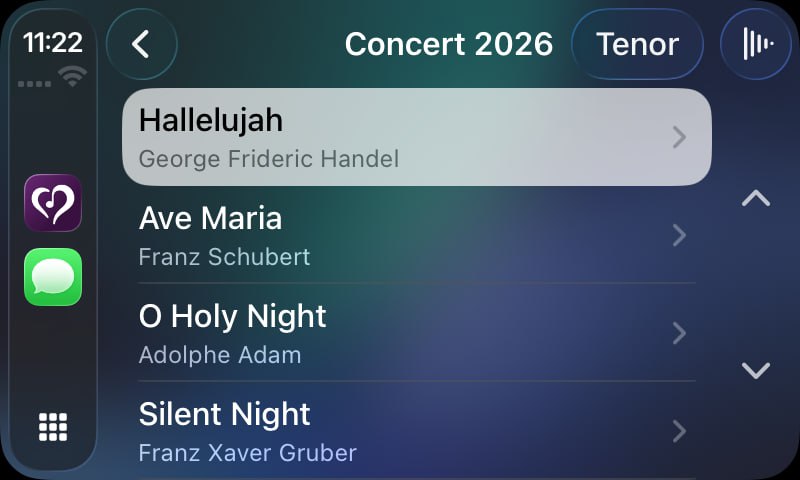
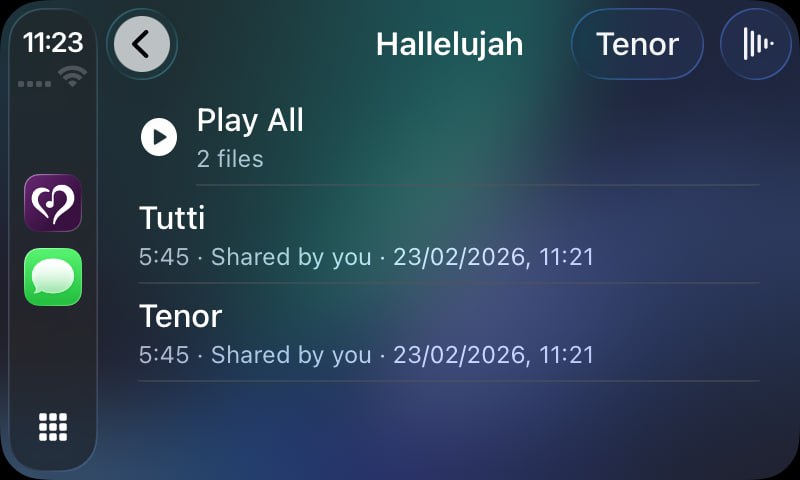
We're excited to bring ChoirMate to your car! With Apple CarPlay support, you can now browse and play your choir's practice tracks, set lists, and audio files directly from your car's infotainment system.
Whether you're driving to rehearsal or just commuting, you can make the most of your time by listening to your parts. The CarPlay interface shows your current queue with song titles, and gives you play/pause, skip, and seek controls right on the dashboard.
Repeat Part Mode on CarPlay
Need to nail that tricky section? The Repeat Part mode is fully available on CarPlay too. Loop any section of a track and listen to it over and over until it sticks, all without touching your phone.
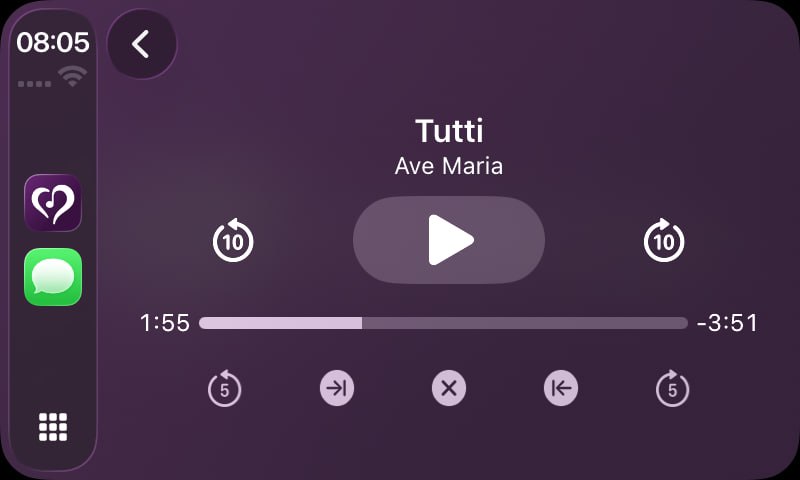
Your Practice Lists, Right in the Car
With a ChoirMate Premium subscription, you can build personalized practice lists with exactly the tracks you need to work on. These practice lists are now available directly through CarPlay, so you can queue up your next rehearsal session before you even leave the driveway.
Combined with the lock screen and Control Center integration, ChoirMate's audio player now works seamlessly across all your Apple devices and contexts.
D'autres nouveautés bientôt...